













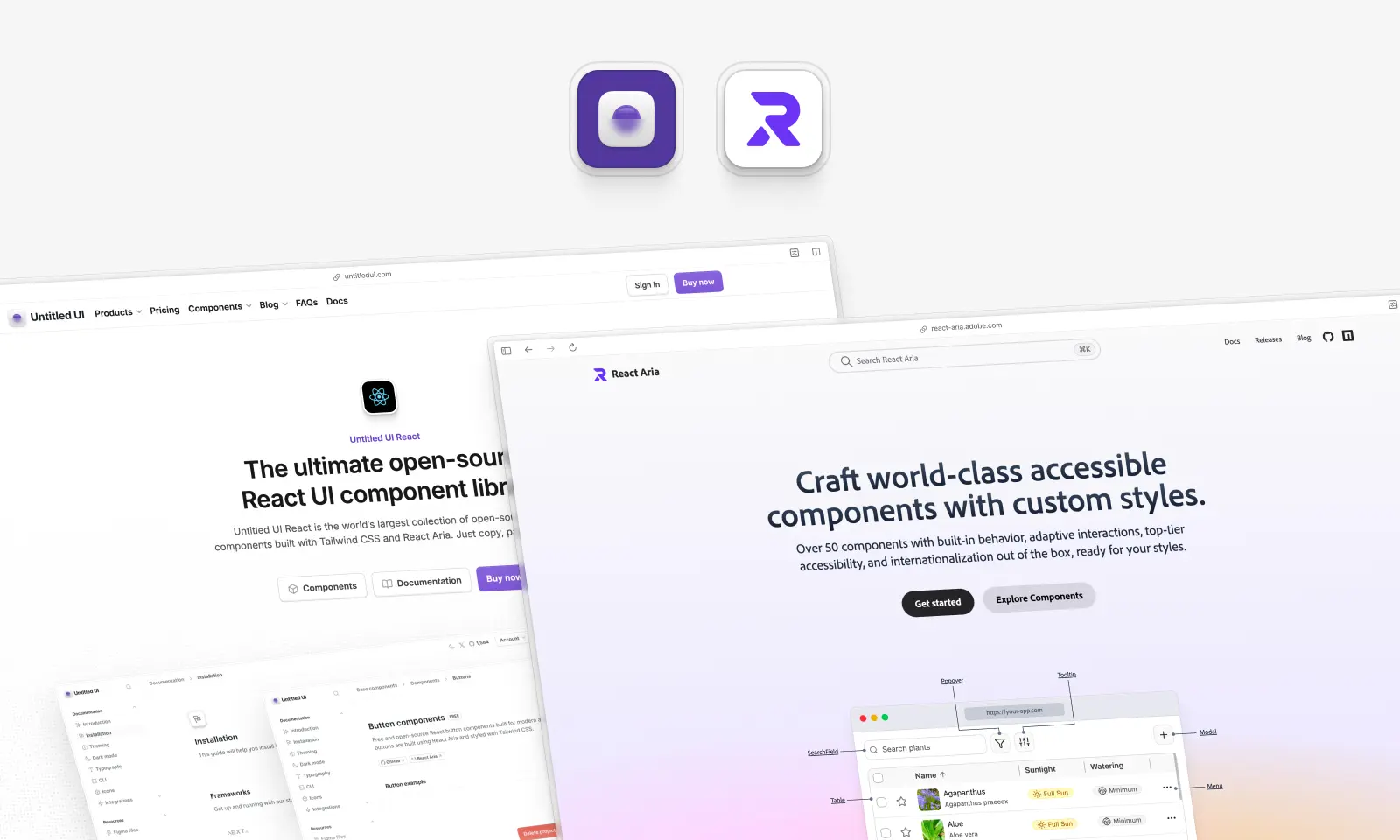
Most "X vs. Y" comparisons put two rivals in a ring. This one doesn't: Untitled UI React is built on React Aria Components.
So this isn't a question of which library to use, it's a question of how much you want to build yourself.
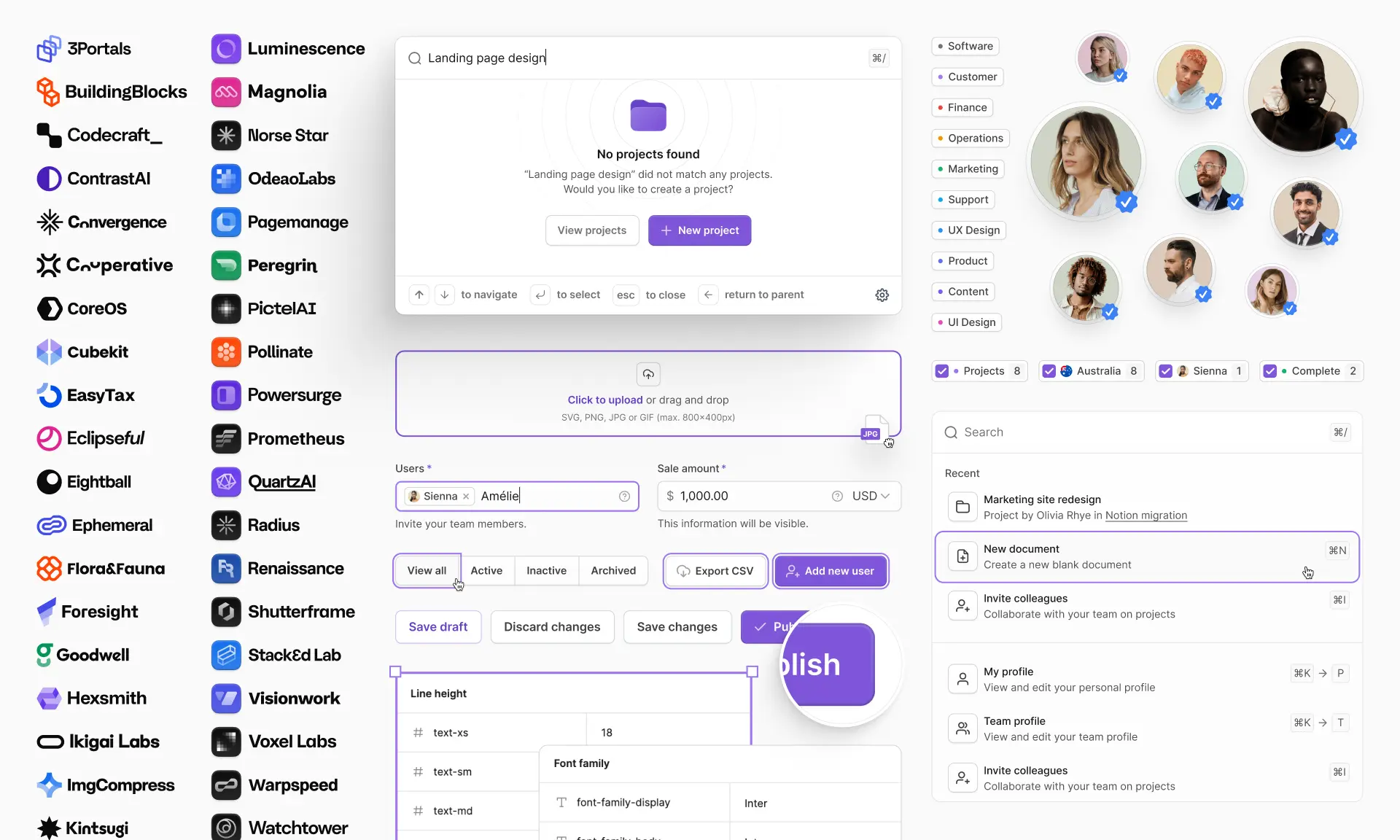
React Aria Components are Adobe's unstyled, behavior-only layer: over 50 components that handle keyboard navigation, focus management, screen reader semantics and internationalization, and that ship with exactly zero pixels of design. Untitled UI React is a complete design system built on that layer, with 5,000+ components and sections, 250+ finished page examples and a matching Figma library.
Put plainly: React Aria gives you a Select component that behaves perfectly and looks like nothing at all. Untitled UI React gives you a Select component that behaves perfectly and looks like a product someone designed, along with the 40 dashboards you were going to put it in.
That's the shape of every decision in this post. Unstyled components are a foundation; a React component library built on them is a foundation plus several months of somebody else's design work.
We depend on React Aria every day, so we'll be generous about it throughout. It's the best accessibility layer available for React, and plenty of projects should build directly on it.
Should you build on React Aria, or use a library like Untitled UI built on it?
React Aria Components are Adobe's headless library: accessible behavior, keyboard handling, internationalization and RTL, with no styles at all. Untitled UI React is built on React Aria and adds Tailwind styling, design tokens and 5,000+ designed components. They aren't alternatives. Choosing Untitled UI React means using React Aria with the design layer already built. Use React Aria alone only if the design system is your deliverable.
The gap is easiest to see in what's missing from React Aria by design: no dashboards, no settings pages, no pricing pages, no marketing sections, no design tokens, no dark mode and no empty states. Supplying any of those would be a design opinion, and React Aria deliberately has none.
Key takeaways
- They're the same stack, one layer apart. Untitled UI React pins
react-aria-componentsand imports from it across its component tree. - Accessibility is not a differentiator here. It's literally the same layer. Don't choose on it.
- "Unstyled" is a cost, not a feature, unless you have a designer. Every color, radius, focus ring, disabled state, empty state and loading state is yours to invent and maintain.
- React Aria wins outright on price, framework breadth and dependency minimalism. Free under Apache-2.0, seven documented framework setups, one vendor's stack.
- You can have both. Drop to React Aria's hooks whenever you need markup our components don't produce. That's how we built it.
If you're short on time, here's how we'd decide:
- Build on React Aria Components if: you're building your own design system from scratch, you have designers and a visual direction to execute exactly, and you want a free, Apache-2.0 foundation with total control over every pixel.
- Pick Untitled UI React if: you want a finished, brand-neutral starting point that's easy to customize — 5,000+ components, 250+ production-ready pages and a matching Figma library — and you'd rather spend the next month on product than on spacing, states and empty states.
- Use both if: you want the finished screens but need React Aria's primitives for one or two bespoke widgets. This works cleanly, because it's the same layer.
Comparison table: Untitled UI React vs. React Aria Components
Here's how the two line up across every dimension we tested. Remember that this table compares a foundation to a house built on it. React Aria "losing" on page templates is like a bag of cement losing on bedrooms.
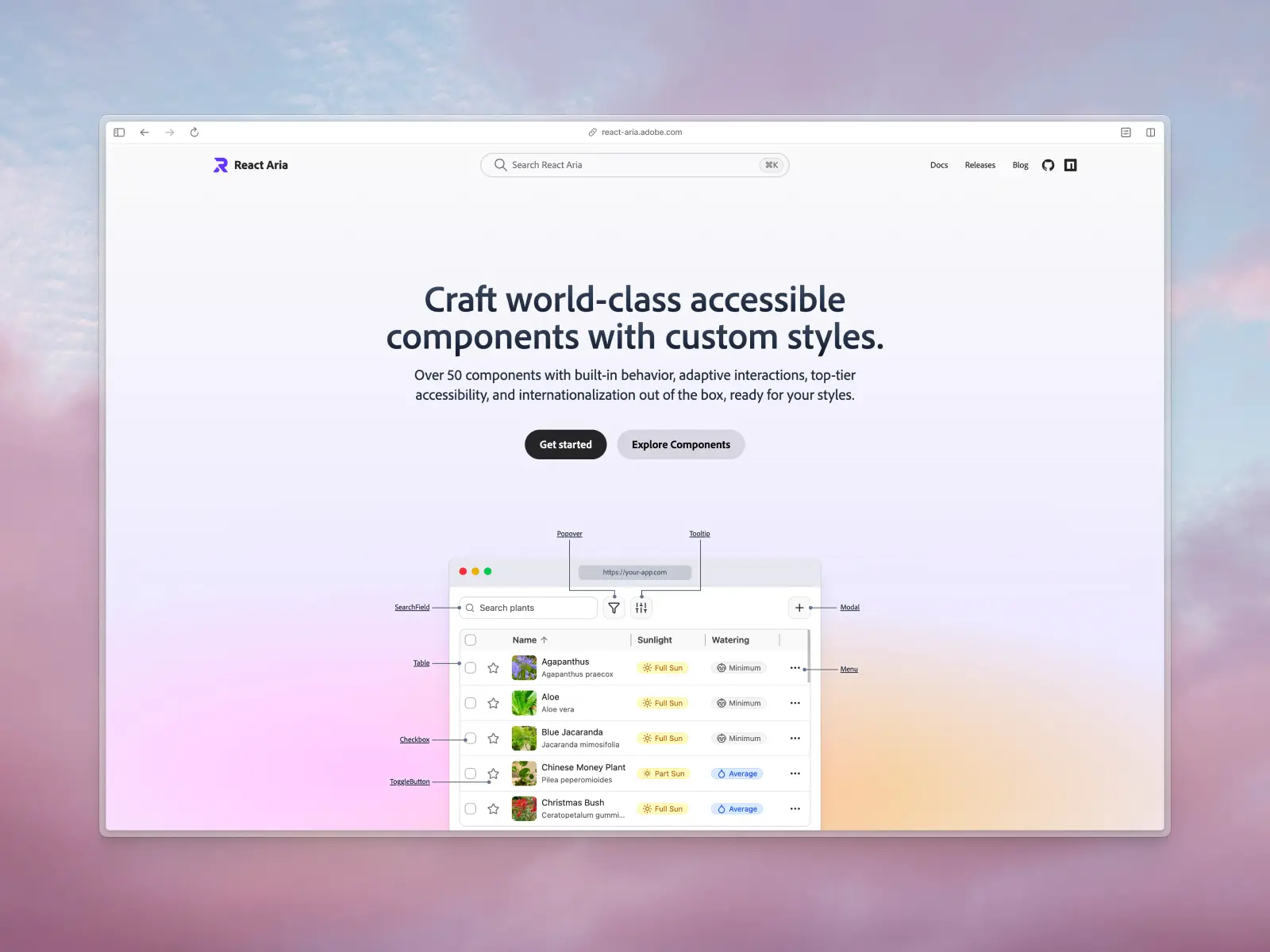
What are React Aria Components?
react-aria.adobe.com — Free and open source · Apache-2.0 · ★15.9k · npm: ~3.11M/wk
React Aria Components are a library of unstyled React components implementing accessibility, keyboard behavior and internationalization. All visual design is yours. Adobe builds it inside the React Spectrum project, licensed Apache-2.0, current release 1.21.1, published 4 September 2026.
The family, quoted from the project README:
- React Spectrum: "a React implementation of Spectrum, Adobe's design system."
- React Aria: "a library of unstyled React components and hooks that helps you build accessible, high quality UI components for your application or design system."
- React Stately: "cross-platform state management for your design system," used by React Aria under the hood.
- Internationalized: "framework-agnostic internationalization libraries for the web," under the date and number components.
React Aria Components are the component-shaped face of React Aria. Before it, you composed hooks by hand; they remain the escape hatch when a component's DOM doesn't fit. Otherwise, in 2026, you write <Select>, <Popover> and <ListBox> and style them with CSS.
Adoption is the signal: react-aria-components does around 3.11 million npm downloads a week, the react-aria hooks around 6.6 million, and adobe/react-spectrum sits at 15,864 GitHub stars, with commits the day we checked.
React Aria Components key features:
- Over 50 documented components across forms, collections, overlays, dates and colors: Button, TextField, Select, ComboBox, ListBox, Table, Tree, GridList, TagGroup, Modal, Popover, Toast, Calendar, DatePicker, ColorPicker, Slider, Switch, DropZone and FileTrigger.
- Zero styling, deliberately: the docs are explicit that React Aria includes no styles by default.
- Deep internationalization: 34 locale bundles covering 32 languages, shipped inside the package, plus 13 calendar systems.
- Free Storybook starter kits: vanilla CSS, Tailwind CSS and a hooks variant, each styling every component.
- Seven framework setups and React 19 support: Next.js, React Router, Parcel, Vite, webpack, Rollup and ESBuild, with peer dependencies accepting React 16.8 through 19.
React Aria Components pros:
- It can't clash with your brand. No design opinion, so nothing to override. The cleanest start if your visual direction is strong.
- The most complete accessibility layer in React. Accessible components by construction: WAI-ARIA patterns, focus management, screen reader announcements, and a published testing matrix.
- Internationalization nobody else matches. 32 languages, 13 calendar systems, and real RTL interaction handling, where keyboard navigation reverses rather than just the CSS.
- Total control, with escape hatches all the way down. You own the DOM, class names and markup; if a component's structure doesn't suit, drop to the hooks and rebuild it.
React Aria Components cons:
- You have to design everything. Every color, radius, shadow, spacing value, focus ring, disabled, empty and loading state is yours to invent. Without a designer, that's the whole of your UI development.
- No page templates or blocks. No dashboards, settings, pricing or marketing pages. Not a shortage, none, because shipping them would mean shipping a design.
- No design tokens or dark mode. No token layer, no semantic color system, no dark mode. You build that architecture yourself, and it is hard to get right across a growing team.
- Slower to first screen. Install to a customer-ready screen is weeks, not hours. The starter kits are a styling reference, not a finished product.
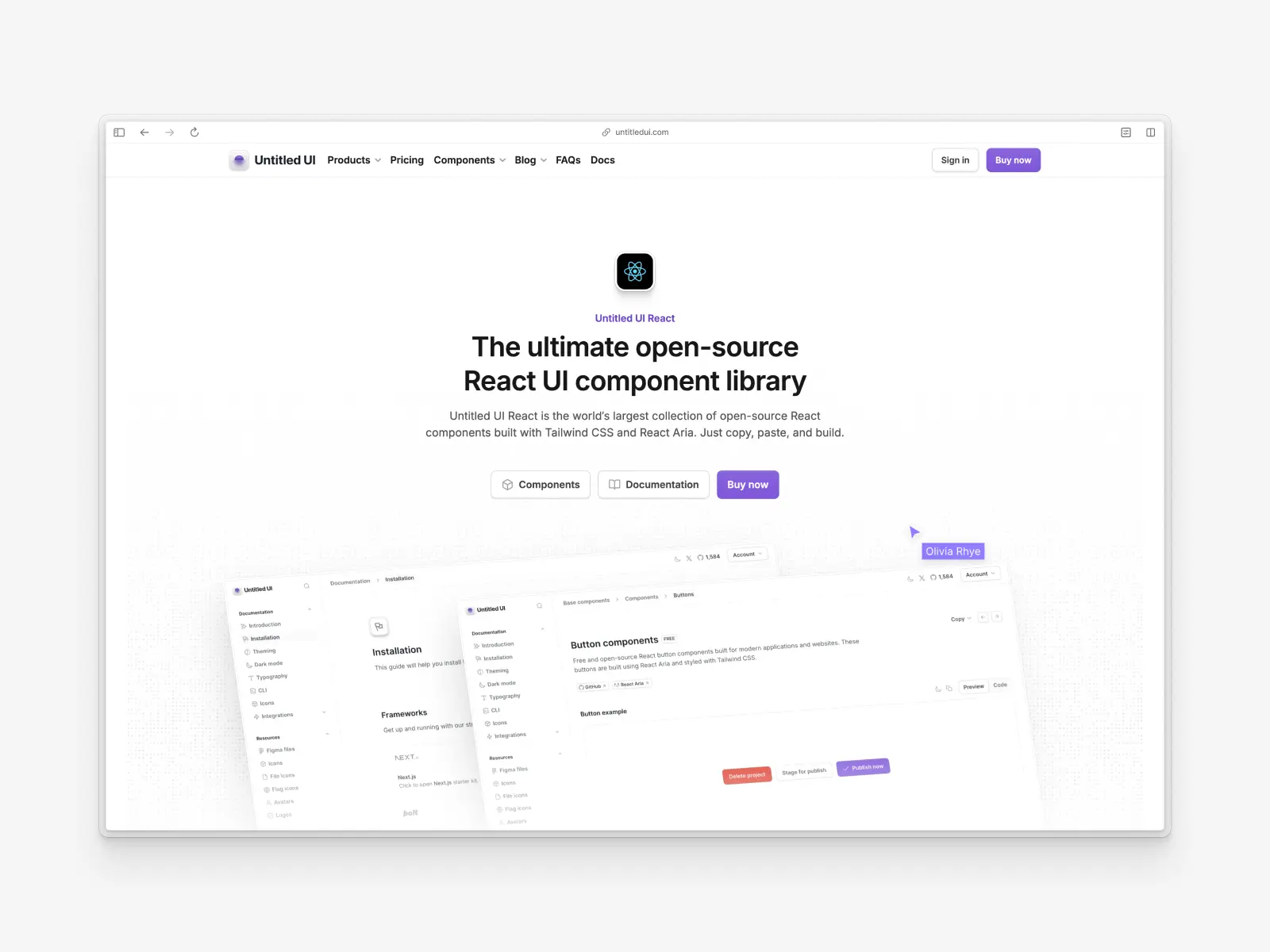
What is Untitled UI React?
untitledui.com/react — Open source + paid from $349 (lifetime access) · MIT free tier · ★1.9k
Built with React Aria v1.20, Tailwind CSS v4.3 and TypeScript v5.9 on React 19.2, Untitled UI React is the world's largest collection of open-source React components. The project launched recently and has already reached v8.0.
The philosophy is the exact inverse of React Aria's. React Aria refuses to make design decisions; Untitled UI React ships sensible defaults for all of them, from spacing and states to dark mode, loading states, responsive behavior and focus treatment. They're designed to be neutral enough for any project, and easy to customize and brand.
Our buttons, selects, date pickers and tables are React Aria components with a design system wrapped around them. We also ship Adobe's tailwindcss-react-aria-components plugin, which turns data-[hovered] into a clean hovered: variant.
The foundation is Untitled UI Figma, which 380,000+ designers use and 3,650+ have given 5-star reviews, making it the largest and most popular Figma UI kit and design system in the world. We build every React component in sync with Untitled UI Figma, free updates for life apply to both, and the free components are MIT licensed.
Untitled UI React key features:
- 5,000+ components and sections: base components, application UI and marketing website sections, not a starter set.
- 250+ page examples: 120 application pages (40 dashboards, 40 settings, 40 informational) and 105 marketing pages, all production-ready.
- Built on React Aria v1.20: Adobe's accessibility layer handles behavior, keyboard navigation and internationalization.
- A deep semantic token layer: every token carries an explicit light and dark value, including
text-primary,bg-brand-solidandfg-error-secondary. - MCP server with semantic search: seven tools backed by multimodal embeddings, so your agent searches by appearance rather than name.
- 2,000+ icons and logos: Untitled UI Icons ships 1,100+ free icons via npm at around 264,000 downloads a week, 4,600+ in the PRO set, plus 370+ avatars and 180+ logos.
Untitled UI React pros:
- Incredibly comprehensive: the Untitled UI React components and page examples cover almost any of the use cases you will hit, so you edit rather than invent.
- Accessible components without the assembly: React Aria's behavior, localization and screen reader support, none of it written by you.
- Figma UI kit parity: design and code stay aligned.
- Mature ecosystem: an MCP server, Storybook and starter kits, plus icons, avatars, logos and flags.
Untitled UI React cons:
- Can be overwhelming: solo developers and small projects may find the scale too much.
- PRO version for full access: the 250+ page examples and advanced components need the PRO version, although hundreds of components are free.
- One design language: our aesthetic, themed to your brand. Something visually radical means editing a lot.
- Much smaller community: 1,918 GitHub stars against React Aria's 15,864, on a repo six years younger.
It suits teams on Tailwind CSS who want a React component library with production-ready components and finished pages. A 60-second overview:
The documentation and the free React UI components show how much of Untitled UI React is free and open source, which is a huge part of it.
How we compared them
We didn't write this post to declare a winner, which in this matchup would be incoherent anyway. We'd be declaring one against our own foundation. We wrote it because "should I just use React Aria directly?" is a question we get asked constantly.
Every figure here was checked against a primary source in September 2026: the npm registry and downloads API, the published react-aria-components package contents, GitHub, the React Aria docs and its published agent skill, and our own codebase.
Where React Aria is the better answer, we say so, and it happens more than once. Anything we could not verify from a primary source, we left out.
How React Aria compares to Radix, Base UI and Ark UI
React Aria isn't the only option. Five unstyled component libraries matter in 2026: React Aria, Base UI, Radix UI, Ark UI and Headless UI, all shipping behavior and no CSS, and shadcn/ui now supports three of them as component bases, unlike a styled library such as Material UI. Among headless UI libraries, what separates them is coverage, API design and who maintains them.
React Aria Components are the widest of the headless libraries: over 50 documented components, including the categories nobody else attempts, six date components, seven color components, Table, Tree, GridList, TagGroup and accessible drag and drop. Apache-2.0, and around 3.11 million weekly downloads.
Base UI is the newest and best-engineered on API design. 37 components and 4 utilities, five runtime dependencies, MIT, built by people from the Radix, Material UI and Floating UI teams, and shadcn/ui's default primitive layer since July 2026. Its gap is coverage: no calendar, date picker, table or tree, and no localized strings.
Radix UI is the incumbent. Radix primitives were the default under shadcn/ui until July 2026, and an enormous amount of React code in the wild is Radix primitives underneath, which is why they still matter. Radix UI is still maintained and supported by shadcn/ui, which says explicitly that it isn't deprecated. But the people who built it went on to build Base UI, where new projects are pointed.
Ark UI is the outlier: a headless component library built by the Chakra team, 45+ components, MIT, and not React-only: it ships for React, Vue, Solid and Svelte off one state-machine core built on Zag.js. Ship more than one framework and Ark UI is the only serious answer among these headless libraries. Chakra UI v3 is itself built on Ark UI.
Headless UI (Tailwind Labs' headless component library) is most often recommended and least often checked. 16 components, MIT, no release or commit since April 2026, and a Vue package on v1.7.23 since September 2024.
Downloads are still high at around 4.9 million a week, but that's a lagging indicator: Headless UI is bundled into Tailwind Plus and many templates. Among headless UI libraries it's the narrowest, and the least actively developed.
What happened to Radix primitives, and does it matter?
This deserves a straight answer because it's the most common anxiety around headless UI libraries, and a lot of developers are sitting on Radix primitives wondering whether they're stranded.
Short version: no. shadcn/ui's changelog says explicitly that Radix "is not being deprecated. We still support it, and every update and new component will ship for both libraries." You can still initialize a shadcn/ui project with -b radix, and existing projects built on Radix primitives need no migration at all.
What changed is defaults and attention, not support. New shadcn/ui projects get Base UI unless they ask otherwise, and several of the people who originally built Radix primitives went on to build Base UI. That's where the new work is going.
For developers on Radix primitives today, the practical read is: stay, and don't let a changelog entry trigger a migration nobody asked for. Radix primitives remain one of the best-designed unstyled component libraries ever written, they're still maintained, and rewriting a working component layer buys you nothing.
For new projects, the calculus is different. If you're picking a headless component library today, the two with active momentum for React-only work are Base UI and React Aria, with Ark UI the pick for multi-framework teams, and the choice between them is mostly about coverage and internationalization rather than quality.
One piece of naming hygiene, because these get conflated constantly. Radix primitives (the unstyled components) are not Radix Themes (a styled library) and not Radix Colors (a palette). When someone says "we use Radix UI", ask which one.
Which headless library to build on
A quick decision list for choosing between these headless UI libraries, three of which shadcn/ui can now hand you:
- Need dates, colors, tables or trees? React Aria. Nothing else here ships them as unstyled components.
- Shipping in more than one language, or with RTL? React Aria, and among unstyled component libraries it isn't close.
- Shipping more than one framework? Ark UI, the only one here that isn't React-only.
- Want the cleanest API and the smallest dependency graph? Base UI.
- Already on shadcn/ui? You're on Base UI unless you asked otherwise, and Radix primitives if your project predates July 2026.
- Inheriting a Radix UI codebase? Stay. Radix UI is maintained and there's no migration pressure.
The rest of this post assumes React Aria rather than Ark UI, since that's what we build on. The build-versus-buy argument applies whichever of these unstyled component libraries you picked, because the same UI development work sits on top of all of them.
None of these headless UI libraries, React Aria and Ark UI included, will make your product look like anything. That's the category working as intended. They hand you behavior and leave the visual decisions with your designers and developers, so a custom design system built on one takes as long as it does, even with best practices in place.
Headless libraries aren't competing with a React component library like ours. They compete with each other for the layer underneath. Radix primitives, Base UI, Ark UI and React Aria all want to be what everyone builds on, and Untitled UI React is built on one of them.
Comparing a headless component library to a styled one on component count misleads. Headless components are units of behavior, styled ones are units of finished interface.
Styling: unstyled by design vs. designed by default
React Aria's styling approach is one of the best-engineered parts of the library, and worth understanding even if you never use it directly.
Every component accepts className and style. Without one you get a default class following the react-aria-ComponentName convention, so you can write plain CSS against .react-aria-Select with no configuration. State comes through data attributes, data-selected, data-focused, data-hovered and data-pressed, which behave consistently across mouse, touch and keyboard rather than inheriting the mess of :hover and :active on mobile.
For Tailwind users, Adobe ships tailwindcss-react-aria-components, v2.2.0, Apache-2.0, about 392,000 downloads a week, which converts data-[hovered]:bg-gray-100 into hovered:bg-gray-100 with editor autocomplete. We use it in Untitled UI React.
Untitled UI React's styling is already done: a complete Tailwind CSS v4.3 implementation of sizes, colors, states, dark mode, focus treatment and responsive behavior. Developers change it by editing the file.
That's the honest test for any of the unstyled component libraries: would you keep the defaults? If yes, you're paying for freedom you won't use. If no, you're right to start from nothing.
Verdict: a tie, and only a tie because "unstyled" isn't free. Styling React Aria from zero isn't a weekend. It's weeks of a professional designer's attention to sizes, states, focus treatment, dark mode and the dozens of small UI development decisions that make a system scale, then yours to maintain forever.
React Aria wins outright when you already have a custom design system, designers, and developers who can execute an unconventional visual direction. Without that team, "unstyled" is a cost, not a feature.
Does React Aria have page templates or dashboards?
No. React Aria Components ships no page templates, no blocks and no sections. We checked the docs navigation, the component reference and the published package: guides, components, hooks, interactions, utilities and internationalization is the whole surface, plus a small Examples section of individual demos.
The closest thing to a template is the free Storybook starter kits, which are a superb styling reference and not a dashboard.
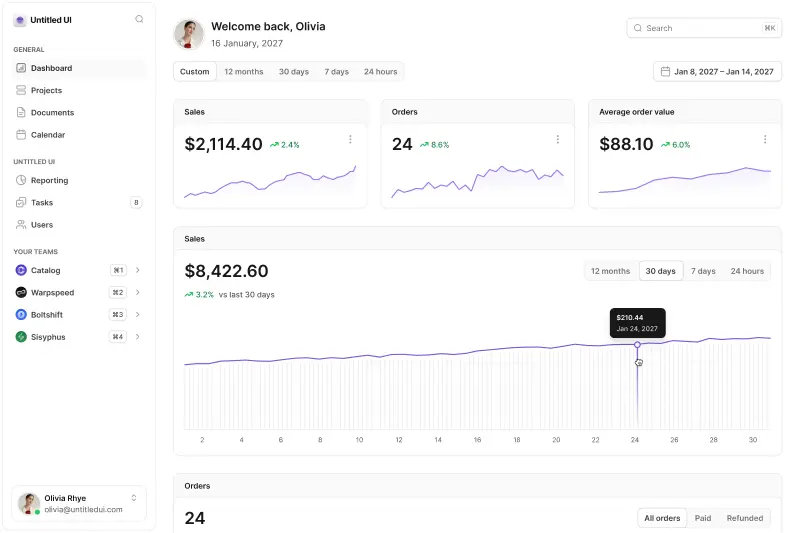
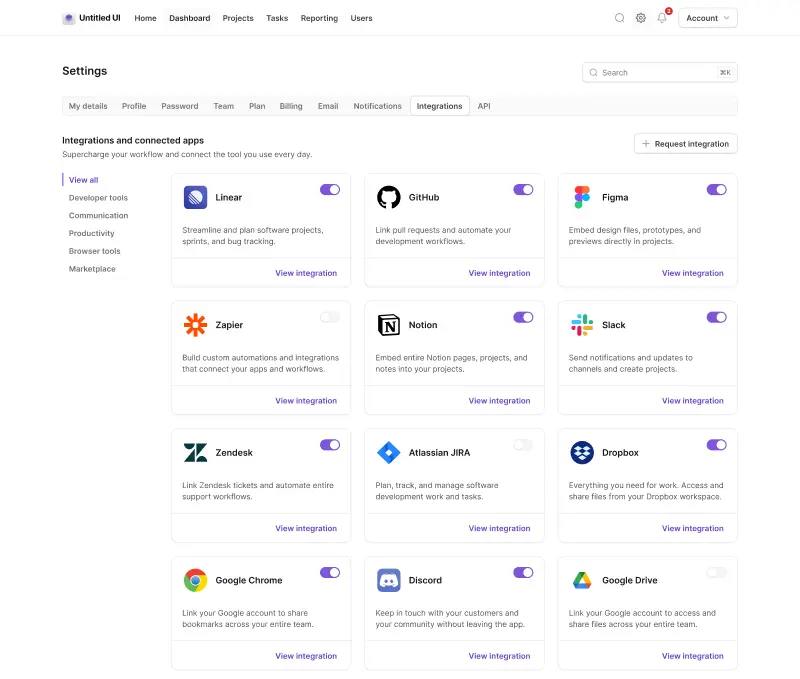
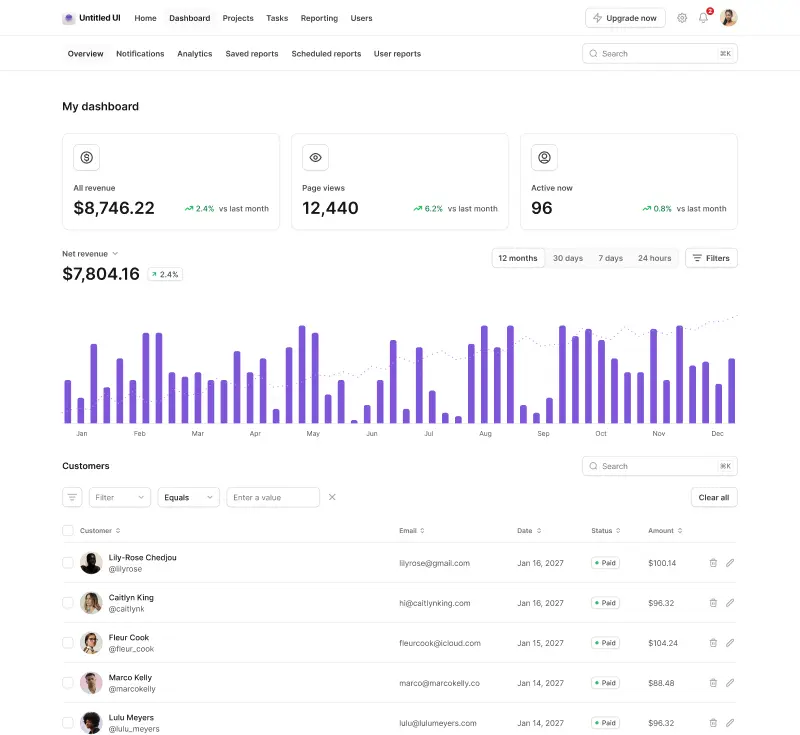
Untitled UI React ships 250+ page examples, and they're not demos:
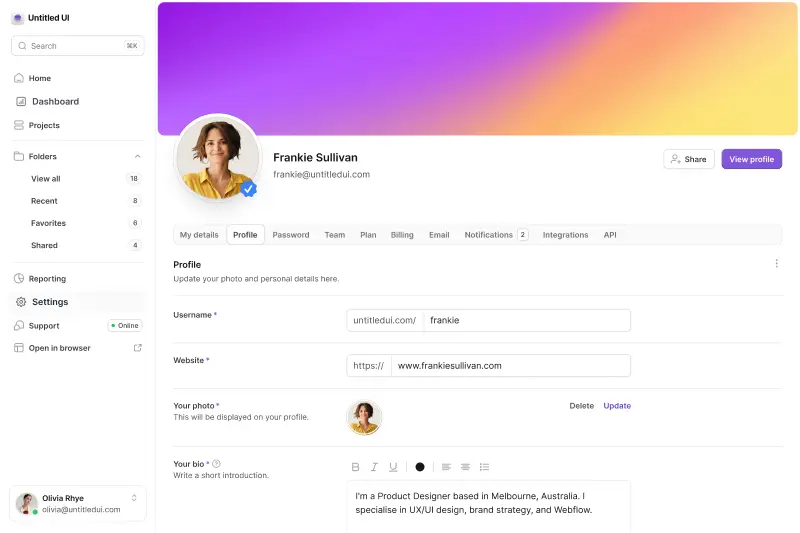
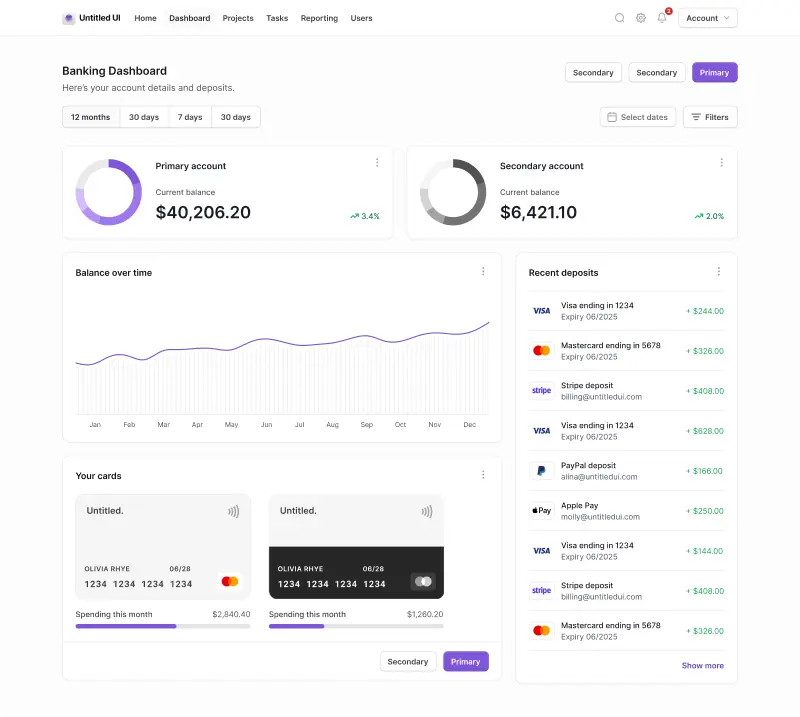
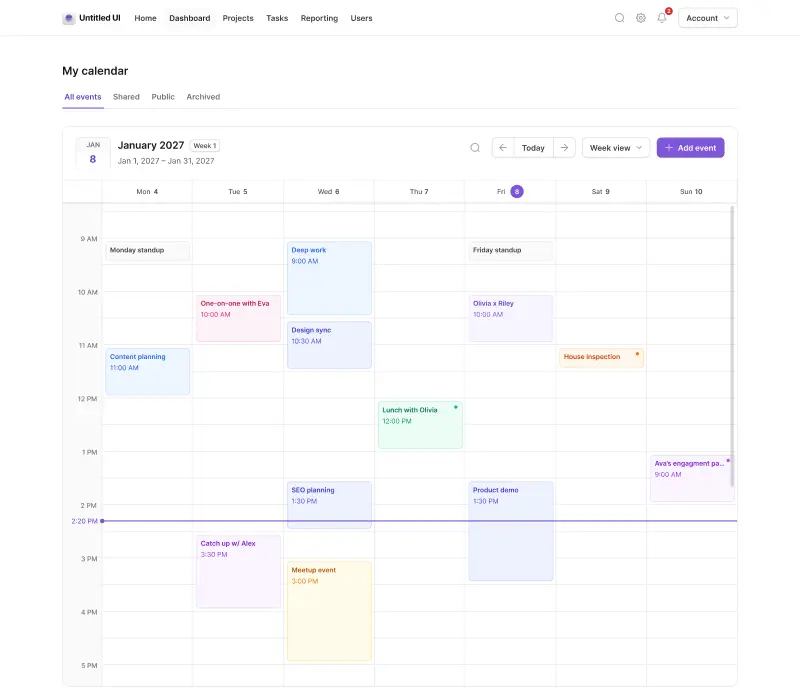
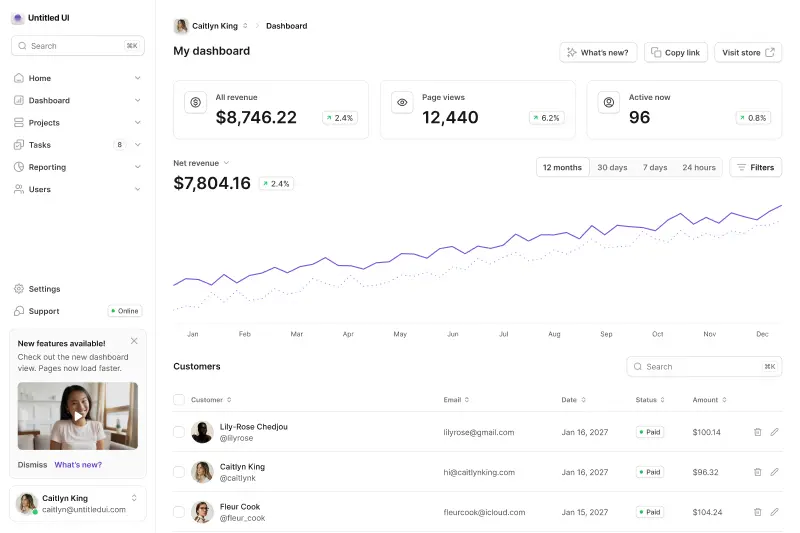
- 120 application pages: 40 dashboards, 40 settings pages and 40 informational pages, in two distinct layout families.
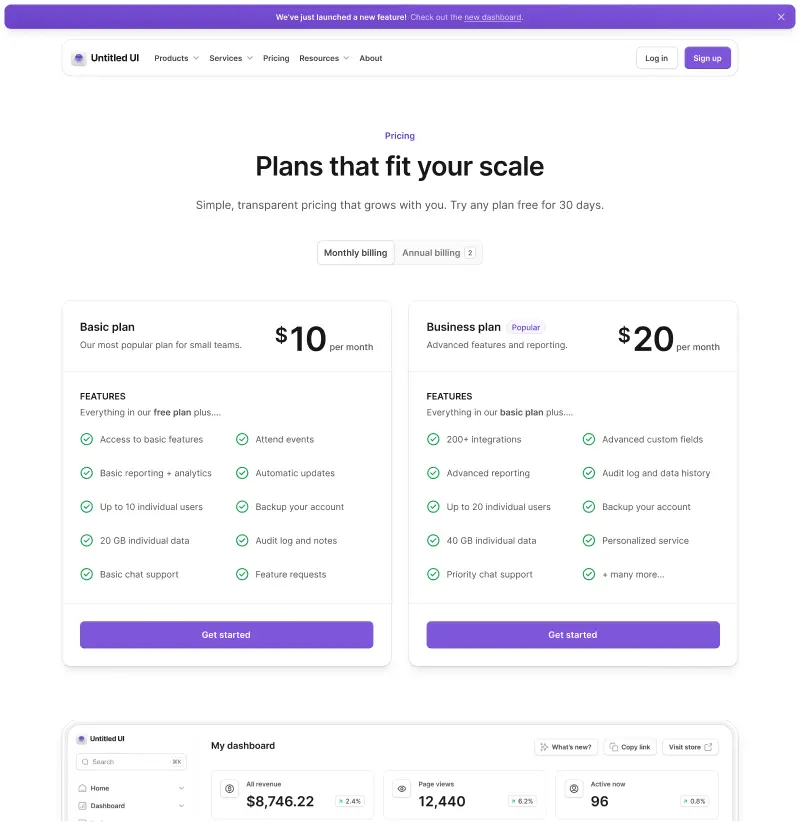
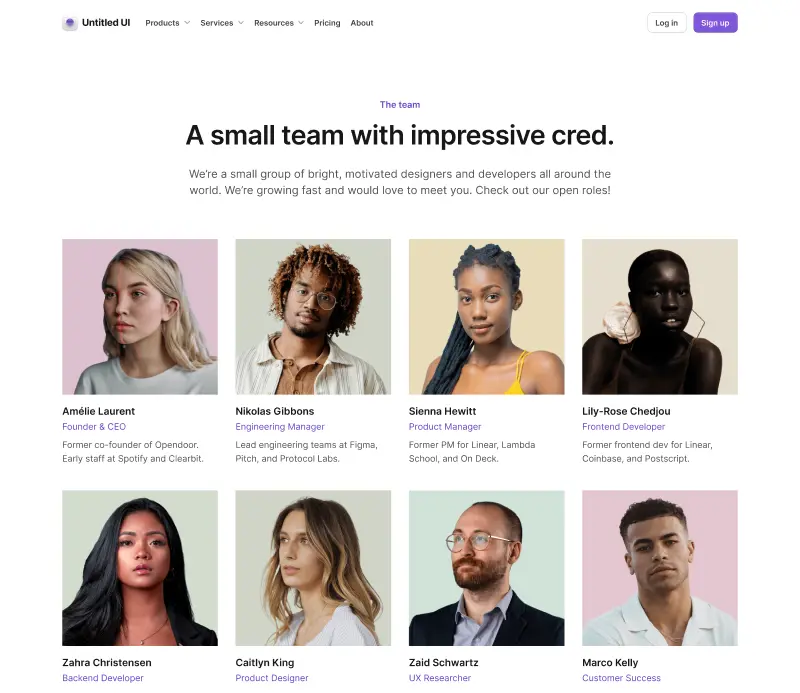
- 105 marketing pages: landing, pricing, blog, about, contact, FAQ, team, 404 and legal pages.
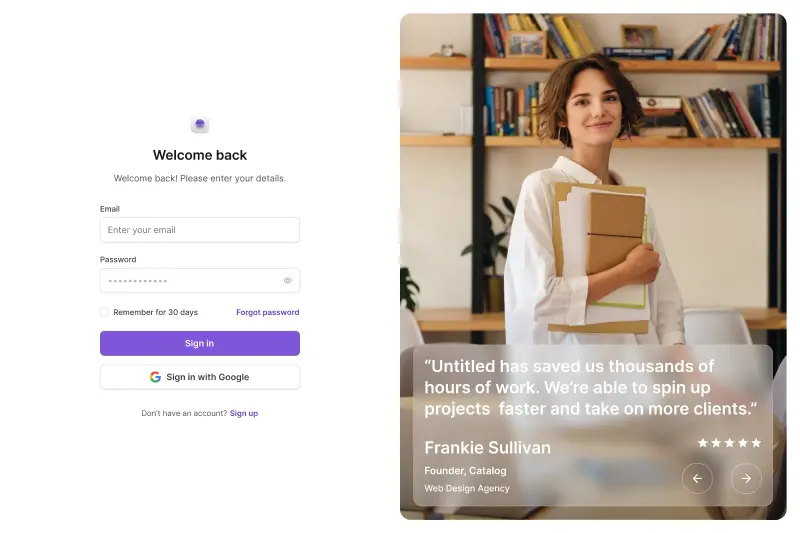
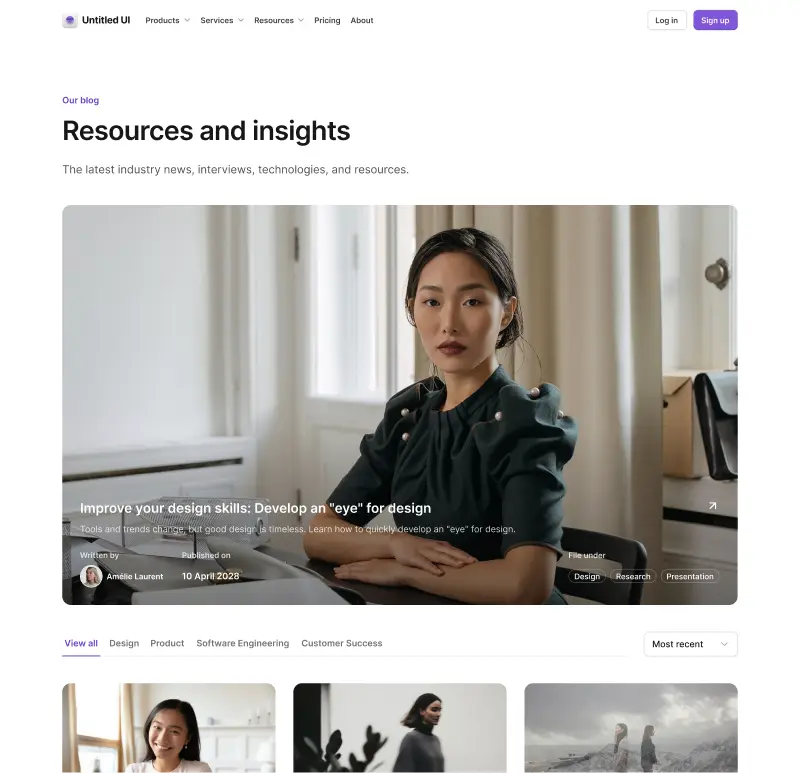
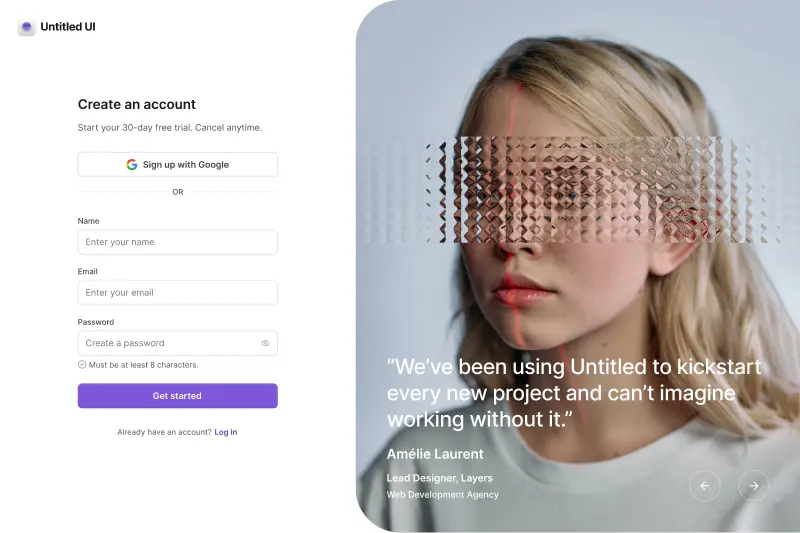
- 428 marketing sections across 18 categories, plus log in, sign up, verification and forgot password flows, and 10 email templates. All responsive, all designed to be shipped.
Anyone who has built a settings page or a dashboard from scratch knows the gap. About two weeks of work sits between "we have a Select component" and "we have a finished settings page".
Verdict: Untitled UI React, and it isn't a contest. This is the clearest practical gap in the whole comparison, and also the least surprising, since a primitive library shipping finished marketing pages would be a category error. For more on this category, see our roundup of the best React dashboards in 2026.
Accessibility and internationalization
Here's the section where the framing matters most, because there's no gap to measure. Untitled UI React's accessibility is React Aria's accessibility. We don't add to it, don't reimplement it, and are in no position to claim an edge over the thing we import.
Everything below is what both give you, because it's literally the same code. Genuinely accessible components need all of it, and almost nobody builds all of it themselves.
What you get, in both cases:
- WAI-ARIA patterns per the ARIA Authoring Practices, with correct roles, attributes, keyboard navigation, focus management and screen reader announcements.
- A published testing matrix: on Windows, JAWS and NVDA in both Firefox and Chrome. On macOS, VoiceOver in Safari and Chrome. On mobile, VoiceOver on iOS and TalkBack on Android in Chrome.
- 34 locale bundles covering 32 languages, so your Japanese users don't hear screen reader announcements in English. The bundles ship inside
react-aria-componentsitself. - 13 calendar systems including Gregorian, Buddhist, Islamic and Persian, which matters enormously the moment you ship a date picker outside the US and Europe.
Where React Aria pulls ahead is at the edges. Its low-level hooks — useSelect, useComboBox, useTable, usePress, useFocusRing — let you rebuild the markup and keep the behavior when a component's DOM doesn't fit your design. Untitled UI React doesn't surface those hooks in its API. You can reach for them, since react-aria is already in your dependency tree, but you're going outside our system to do it.
Adobe also ships @react-aria/test-utils, currently a release candidate, with testers for 11 ARIA patterns that simulate mouse, keyboard and touch interactions in your test suite.
Verdict: React Aria, and Untitled UI React inherits most of it. Nobody in this category is more thorough. Choosing Untitled UI React gets you accessible components by default; building on React Aria directly gets you all of it plus the hooks layer underneath. Accessibility is not a reason to choose between these two.
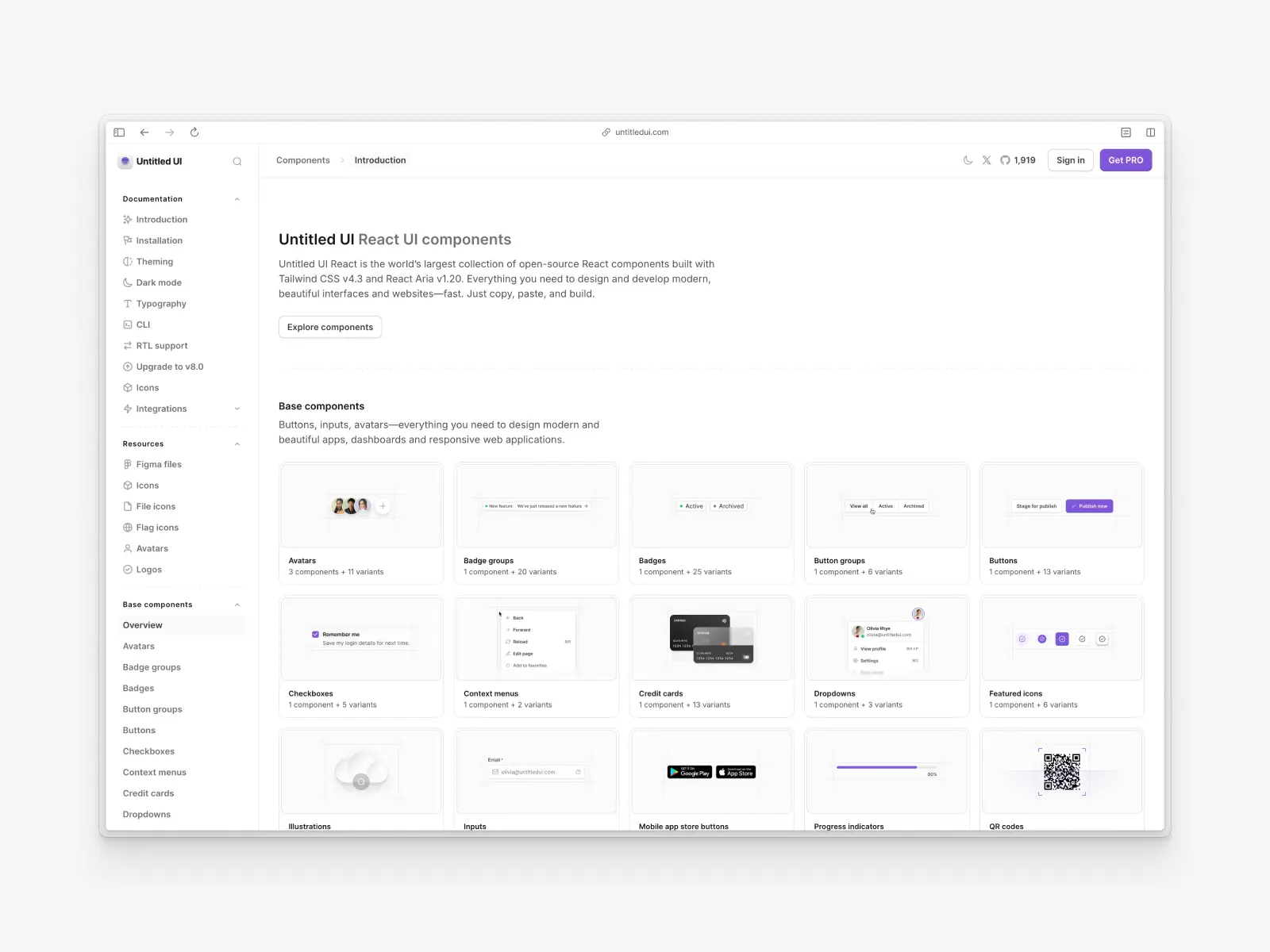
What ships with Untitled UI React
Here's what the Untitled UI products put in your project:
The library itself:
- 5,000+ Untitled UI React components and sections, counting designed variants, styled and themed for light and dark. Every one is a TypeScript file you own, with full type safety.
- 250+ page examples built from production-ready components: 40 dashboards, 40 settings, 40 informational pages, 105 marketing pages. All of them are built to ship.
- 428 marketing sections across 18 categories.
- Hundreds of free, open-source React components under the MIT license, usable in unlimited commercial projects with no seat counting. The open-source React components cover most of a standard application UI.
- A custom CLI tool that scaffolds a Next.js or Vite project with your brand color and installs components on demand.
The rest of the Untitled UI products:
- Untitled UI Figma: the matching Figma kit, 10,000+ components and variants, included in the PRO version rather than sold separately, and the source the React components are built from. Untitled UI Figma leads the code.
- Untitled UI Icons: 1,100+ free icons via npm at around 264,000 weekly downloads, 4,600+ in the PRO set.
- 370+ avatars, 180+ company logos and 261+ country flags.
- PRO LITE: a 55% lighter build of the Figma UI kit, included free with every PRO license.
- An MCP server with seven tools and multimodal semantic search, plus agent rules.
Two things matter for teams evaluating the Untitled UI products. The free tier is under the MIT license and usable in production, so it can ship commercially with no attribution requirement.
Because everything is TypeScript source you own, type safety is yours to extend rather than inherited from a package's .d.ts files. Add a prop and type safety follows from the file.
The Untitled UI products work together: the Figma kit matches the React components, the icons match both, and everything updates on one cadence. React Aria gives you behavior, Apache-2.0, and nothing else.
Where the Untitled UI React components come from
Worth explaining, because it's the part that isn't obvious from a component list.
Every one of the Untitled UI React components starts in Figma. A designer draws it, specifies every size, state and color, and it ships in the Figma kit. Only then is it built in React against the React Aria primitives. That order is why the two halves match: the code implements the design rather than the design documenting the code.
It's also why they arrive with answers to things most libraries leave open. Empty states exist because somebody designed them. Loading states exist. The disabled variant of a destructive button exists, and looks deliberate, because that combination was drawn rather than derived.
If you build on unstyled components instead, you're taking on that design pass yourself, component by component. That's the work, and it's worth being clear-eyed that it is design work rather than engineering work. Most teams who underestimate it are underestimating the design half.
Bundle size and modern performance
Worth addressing directly, because React Aria's bundle size gets used against it in comparisons and the comparison is usually unfair.
You'll see a large figure quoted for the full react-aria-components package set against a single Radix primitive. That's apples to oranges. Both libraries tree-shake, you import per component, and the bundle size a real application ships is a fraction of either. Compare one component tree against one component tree, in your own build, with your own bundler.
The honest structural point is that React Aria carries more because it does more. Date components need @internationalized/date. Localized announcements need 34 locale bundles. If you ship an English-only product with no dates, you're carrying capability you won't use, and a narrower library like Base UI genuinely is the smaller answer.
Untitled UI React components inherit all of that, plus packages for the categories we ship that React Aria doesn't: Recharts for charts, TipTap for rich text editors, shiki for code highlighting, motion for animation. More categories means more packages, and that's a real trade rather than a rounding error.
Worth measuring against the alternative rather than against zero. A packaged library like Material UI ships a dozen runtime dependencies plus a CSS-in-JS engine you can't remove, which is a different shape of cost entirely.
The more consequential difference isn't package weight at all, it's the styling runtime. Modern performance work in React is mostly about what runs on render rather than what sits in the bundle, and neither of these ships a styling runtime.
Tailwind CSS compiles to static classes, so there's no CSS-in-JS runtime, no style injection on render, and none of the hydration friction that comes with it. That's the difference that shows up in a profile. Against a library like Material UI, it matters more to modern performance than any dependency count.
Design tokens, dark mode and theming
React Aria, like every headless UI library, ships unstyled components and nothing above them: no token system, no color scale, no semantic naming layer and no dark mode. That's not an omission.
A token system is a design artifact, and React Aria doesn't ship design artifacts. The starter kits include a reasonable CSS variable setup you can crib from, which is a nice gesture, but the architecture is yours to define and maintain.
Defining that architecture well is harder than it looks. The questions that eat teams alive aren't "what's our blue," they're "is this text gray because it's secondary, or disabled, or on a brand surface?" Getting those distinctions into names that survive four designers is most of what a design system is.
Untitled UI React ships that layer finished: semantic tokens organized into text, background, foreground and border families, each declared twice, once for light mode and once for dark, so no token silently falls back to the wrong theme. Instead of text-gray-600 you write text-tertiary; instead of bg-blue-700 you write bg-brand-solid. There are dedicated tokens for on-brand surfaces, hover states and subtle variants.
Changing your brand color across the entire system is one scale from --color-brand-25 to --color-brand-950 in theme.css.
Verdict: Untitled UI React, decisively. If you already have a token architecture you're happy with, React Aria will never argue with it, and that's worth something. If you don't, this is months of structural decisions you'd otherwise make one pull request at a time.
How long does it take to build a design system on React Aria?
Going from npm install react-aria-components to a design system you'd defend in review is months of UI development, even following best practices. At minimum:
- Define a color scale and semantic token layer, then keep the names coherent as the team grows.
- Decide radii, shadows, spacing and a typography scale.
- Build a form field pattern with label, hint and error handling every input inherits.
- Implement every component's sizes and color variants, not just the one in the mock.
- Implement dark mode across all of it, with no token falling back to the wrong theme.
- Design focus, hover, disabled, loading and empty states for every component.
- Compose the results into real screens: dashboards, settings, billing, onboarding.
- Document it, test it, and keep a Figma library in sync by hand.
The Tailwind starter kit is a substantial free head start on the styling half, and you should use it. But the starter kits stop for a reason: one styled treatment per component, not a system, and not a finished screen.
Untitled UI React's answer is a custom CLI tool: npx untitledui@latest init --nextjs, a brand color, and a working project with a design system in it. Then add pulls in individual components, or a page example dropped in whole. That custom CLI tool changes the work for developers: installing a production-ready component takes a command, not a decision.
Verdict: Untitled UI React on time to first screen, React Aria on time to exactly what you want. If the design system is the deliverable, the calendar cost is the work.
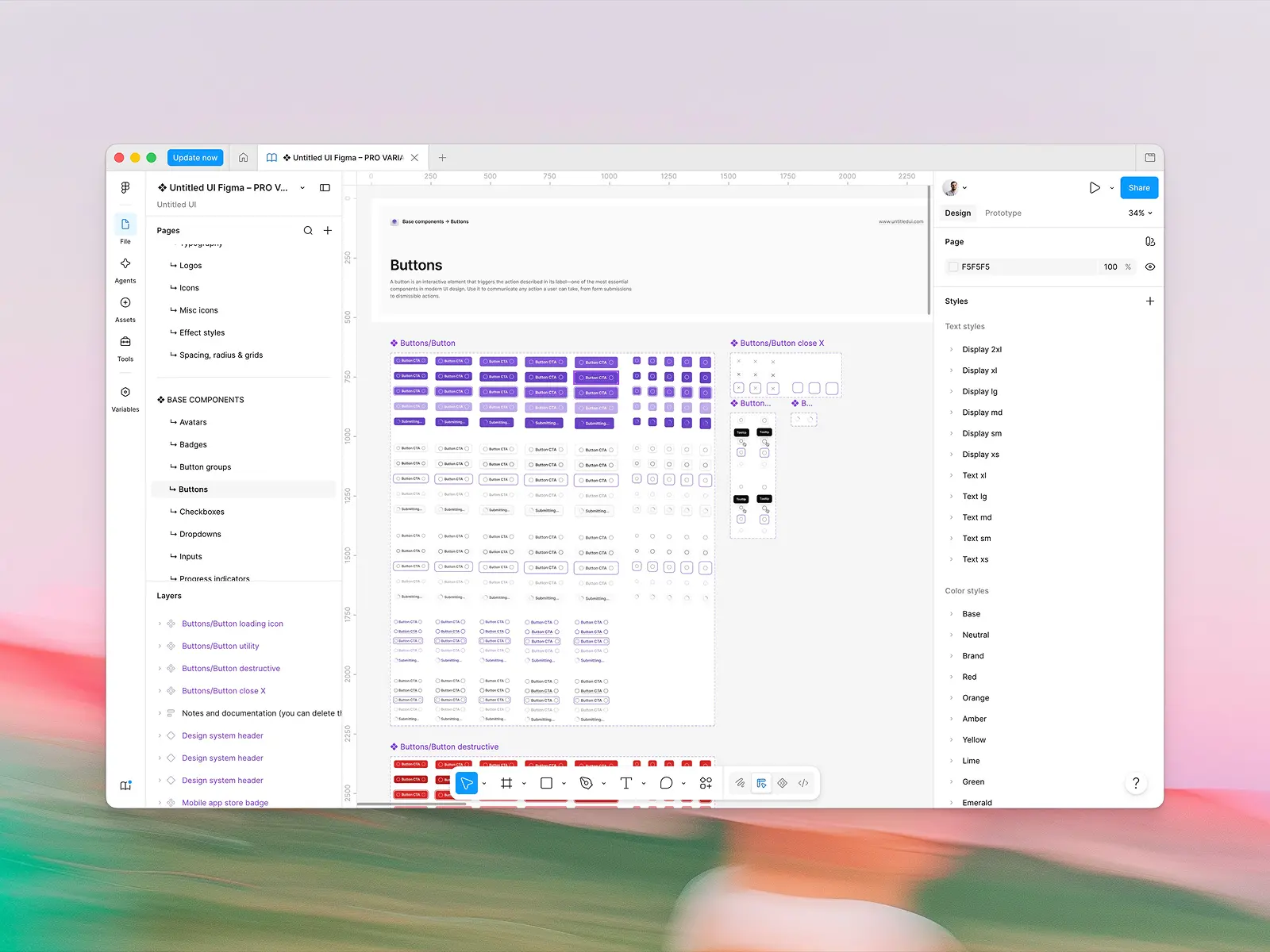
Figma and design-to-code parity
React Aria has no Figma UI kit, and again, this follows directly from having no design. There's nothing to put in a Figma file, because there's nothing to look at.
If your team works in Figma, you'll build and maintain the design library yourself and keep it in sync with your React implementation by hand. That's a real, recurring cost that lands on whoever cares most about consistency, usually a designer, usually every sprint.
Untitled UI React is designed in, and shipped alongside, Untitled UI Figma: 10,000+ components and variants built with 100% Auto Layout 5.0, variables and smart variants. When a component ships in React, it ships in Figma, and both halves get free updates for life.
With 380,000+ designers and 3,650+ 5-star reviews, it's also the most widely used design system in Figma. We mention that for a practical reason, not to brag: your developers install the same components your team reviews in Figma, and a designer you hire has probably worked in Untitled UI Figma already.
The sync is the part that's hard to replicate in-house. Keeping a Figma kit aligned with a React component library by hand is a recurring tax on whoever cares most about consistency, and it's the first thing to slip when a team gets busy.
Verdict: Untitled UI React. Teams with designers will probably find this worth more than everything else combined, and for design-led teams no argument here is stronger. Skip this section entirely if nobody on your team opens Figma.
AI and agent workflows
Both sides have invested here, and React Aria's tooling is better than most people realize. React Aria brings:
- An official MCP server,
npx @react-aria/mcp@latestat v1.2.1, with one-click install configs for Cursor, VS Code, Claude Desktop, Claude Code, Codex and Gemini CLI. - A published agent skill, installable with
npx skills add https://react-aria.adobe.com, containing component references, guides and testing instructions in plain markdown.
Untitled UI React brings:
- An MCP server with multimodal semantic search, so what a component is called matters less than how it looks when agents go matching, across seven tools.
- Shipped agent rules that stop agents inventing conventions and hold them to the design system's own, delivered as CLAUDE.md, GEMINI.md and AGENT.md.
- One-click launches into v0, Bolt, Lovable, Replit and StackBlitz with the library pre-installed.
- Docs published as raw markdown: an agent reads the page rather than scraping the rendering, because adding
.mdto any docs URL returns the source as plain text.
The two are optimized for different jobs. React Aria's tooling teaches an agent to build correctly: here's the API, the patterns, how to test it. Ours helps an agent find the right finished thing among 250+ page templates, which is a search problem rather than a knowledge problem.
Verdict: a tie, with different jobs. React Aria's docs-as-skill approach is excellent and its MCP server is well built. Ours wins when the answer already exists in the library and the hard part is locating it. We covered this category in our roundup of the best UI component libraries for vibe coding in 2026.
Framework support and installation
React Aria documents setup for Next.js, React Router, Parcel, Vite, webpack, Rollup and ESBuild, seven environments, with the Next.js guide covering the genuinely fiddly part of matching server and client locale so hydration doesn't break your RTL layout.
Untitled UI React's CLI scaffolds new projects on Next.js and Vite, with documented integration guides for Next.js, Vite, Bolt, v0, Lovable, Claude and Gemini. The components are plain files, so they work anywhere React does and only what you copy counts toward bundle size, but the scaffolding is narrower, and React Aria arrives as a versioned npm dependency rather than a code drop.
Verdict: React Aria. Seven documented setups against two, and being an npm package rather than a code drop means there's less to go wrong on unusual build tooling. If you're on Parcel or a bespoke webpack config, this matters.
Updates, maintenance and who owns the code
These are opposite models for developers, and neither is strictly better.
React Aria is a dependency, the same model as Material UI or Chakra UI: npm update gets you bug fixes, new components and accessibility improvements automatically, and Adobe has shipped consistently since the repo opened in September 2019.
The cost is that your own styled wrappers sit on top, so a breaking change in the primitive layer is one you absorb across every wrapper you wrote, and you wrote all of them.
Untitled UI React is copy-paste, for new projects and existing ones alike. The files are yours, nothing changes under you, and no minor version bump breaks your login page at 4pm on a Friday. The cost is that improvements don't arrive automatically. We handle it with a documented migration guide per major version, plus free lifetime updates on both the React library and the Figma kit.
Worth saying clearly: because we're built on React Aria, its updates still reach you through the npm dependency. Accessibility fixes land in your app whether or not you touch our components, and bundle size is unaffected because you import the same package either way.
Verdict: React Aria on update mechanics, Untitled UI React on stability. Automatic fixes for free is a genuine advantage, and semver is a better upgrade story than any migration guide. But "nothing changes unless I change it" is exactly what some teams want, and you can have both: our design layer, their behavior layer, updating on its own schedule.
Is React Aria free, and what does Untitled UI React cost?
React Aria Components are Apache-2.0 licensed, in full, for free, with a patent grant, no tiers, no seats and no upsell. For a solo developer, an open-source project or a bootstrapped startup, that's a powerful argument, and no feature comparison makes $0 stop being $0.
Untitled UI React is free and MIT licensed for its open-source components: hundreds of base components, application UI components and marketing sections, usable in unlimited commercial projects. The full PRO version is a one-off payment with lifetime updates, and one license covers the Untitled UI products together rather than each separately:
- FREE: open-source components, CLI, starter kits, dark mode, and 2,000+ icons and logos.
- PRO SOLO — $349: one user gets Figma sync, 250+ page examples and the full library.
- PRO STUDIO — $999: up to 8 users.
- PRO BUSINESS — $2,499: up to 20 users.
- PRO ENTERPRISE — $8,999: onboarding support and an Enterprise EULA, SSO and SCIM 2.0, an audit log, private GitHub repo and Storybook access, all for unlimited users.
You might be asking, "why pay for a component library when the foundation underneath it is free?" That's a valid question, and the answer is only ever about time. $349 buys about half a day of a good product designer. Designing a system on top of React Aria takes weeks of that same designer.
PRO has paid for itself ten times over once it saves your team one of those weeks. A team that has those weeks and wants to spend them can pair React Aria with its own design work, and the only cost is the calendar.
The comparison people miss is against the other Untitled UI products: the same license covers the Figma library, so a team paying for design and code separately elsewhere is usually comparing the wrong two numbers.
Verdict: React Aria on price. Free and Apache-2.0 is unbeatable on this axis, full stop. The counter-argument isn't about money, it's about which resource you're actually short of.
Community, ecosystem and long-term support
React Aria has 15,864 GitHub stars, roughly 3.11 million weekly downloads of react-aria-components, an Apache-2.0 license with a patent grant, and Adobe shipping commits continuously since 2019. It's the foundation of Adobe's own product line, which is the strongest maintenance signal open source has.
It's also increasingly a shared standard: shadcn/ui added React Aria as a first-class component base in July 2026, so npx shadcn@latest init --base aria now produces React Aria implementations of the shadcn components.
A full-time team ships coordinated updates across React, Figma, icons, avatars and logos, and the Figma kit has 3,650+ 5-star reviews. The React repo is much younger on the developer side. It opened recently and sits at 1,918 GitHub stars.
Verdict: React Aria for reach and longevity, Untitled UI for design-and-code accountability. There's no competing with Adobe's numbers, and we don't try to. What we offer is different in kind: one team answerable for design and code staying in sync, and choosing us doesn't mean giving up theirs.
Can you use Untitled UI React and React Aria Components together?
Yes, and it's easy, because you're already doing it. Install Untitled UI React and react-aria-components is in your node_modules, imported throughout our component files. No second runtime, no duplicate primitive layer, no provider conflict, because it's the same provider.
The usual hard part of mixing libraries, two Button components with different prop APIs and context that doesn't cross the boundary, doesn't apply. Nest a React Aria <Popover> inside our <Dialog> and focus management, dismiss behavior and portal handling all cooperate, because one is built from the other.
Two things still need a decision:
- Style anything you build from primitives with our tokens. A raw
<Select>styled withtext-gray-600andbg-blue-700drifts out of sync the first time the brand color changes. Usetext-tertiaryandbg-brand-solidand it re-themes with everything else. - Don't rebuild what we already ship. If we have the component, use ours and edit it, because you own the file. Reach for raw primitives when a widget's DOM genuinely doesn't fit our API, or when you want a hook like
usePress.
So the rule that works is: let Untitled UI React own the design layer, and drop to React Aria whenever you need markup we don't produce. Both sides read the same data attributes, so hovered: and selected: variants work identically on your custom primitives and on ours.
When building on primitives is genuinely the right call
We've made the case for the finished system at length, so here's the other side properly. There are real use cases where developers should be working directly against a headless component library, and we'd say so to anyone who asked.
These aren't edge cases either. A meaningful share of serious front-end teams should be building on unstyled components rather than buying a system, and the use cases below are the ones where it's clearly right. If none of them describe you, that's useful information too.
The design system is the product. If you're a design systems team and the deliverable is the system itself, you need the blank slate. Every answer a finished library supplies is one you'd overwrite, and inheriting someone else's defaults just means deleting them first.
You have a strong, unconventional visual direction. Brand-led products, editorial sites, anything where the interface is part of the identity. A design system optimized to be brand-neutral is working against you there, and unstyled components are the cleaner start.
You need markup nobody else produces. If your product has a genuinely novel interaction, no styled library will have it. Drop to React Aria's hooks and keep the accessibility guarantees while you build the DOM you need. This is the use case headless components exist for, and it's a good one.
You have a designer and calendar time, and you'd rather spend it here. This is a legitimate allocation of budget, not a mistake. A custom design system built on good primitives, following best practices, is a genuine asset, and it's the right call more often on platform teams than on product teams.
Minimal dependencies are a hard requirement. Some teams have procurement or security constraints that make every package a cost. One vendor's stack of headless components is easier to defend than several headless libraries.
Conclusion
Choosing between Untitled UI React and React Aria Components comes down to one question: how much of the design work do you want to do yourself?
It's not a question of which is better built. One is inside the other. React Aria is the best accessibility and internationalization layer available for React, free under Apache-2.0, with no design opinion that can clash with your brand, maintained by Adobe.
The question is what sits on top. Build it yourself and you get the system you designed, with total control over every token, state and line of markup, after months of UI development. That's the right call when a custom design system is the deliverable. Start from the Untitled UI React components and those months are already spent: 5,000+ components, 250+ finished pages and a Figma library in sync.
A simple mental model:
- Design system as your deliverable, with designers and a clear visual direction? React Aria Components and its headless components.
- Need finished dashboards, settings and pricing pages, built from production-ready components, this quarter? Untitled UI React.
- Design and code have to stay in sync, and your designers work in Figma? Untitled UI React.
- Many locales with dates, numbers or RTL? Either one. Same i18n layer underneath.
- On Parcel, Rollup or a bespoke build? React Aria's seven framework guides are the safer start.
- Budget-constrained and time-rich? React Aria, free under Apache-2.0. Time-poor? Untitled UI React.
- Want both? Untitled UI React for the design layer, React Aria's hooks for anything bespoke.
Test before you commit. Install a handful of free Untitled UI React components, download a React Aria Storybook starter kit, and build the same screen twice.
We'll update this post as both evolve. For a wider view: the best React UI component libraries in 2026, Untitled UI vs. shadcn/ui, Base UI vs. React Aria Components, and what a design system actually is.
Related reading: Untitled UI React vs. Base UI, Untitled UI React vs. MUI, the best shadcn/ui alternatives, the best Tailwind Plus alternatives, and the best Figma UI kits.
More best practice guides
This post is an excerpt from Untitled UI Figma, world's largest Figma UI kit and design system. Untitled UI includes tips and best practices right in the Figma file to help you level up as a designer. You can preview Untitled UI Figma here.
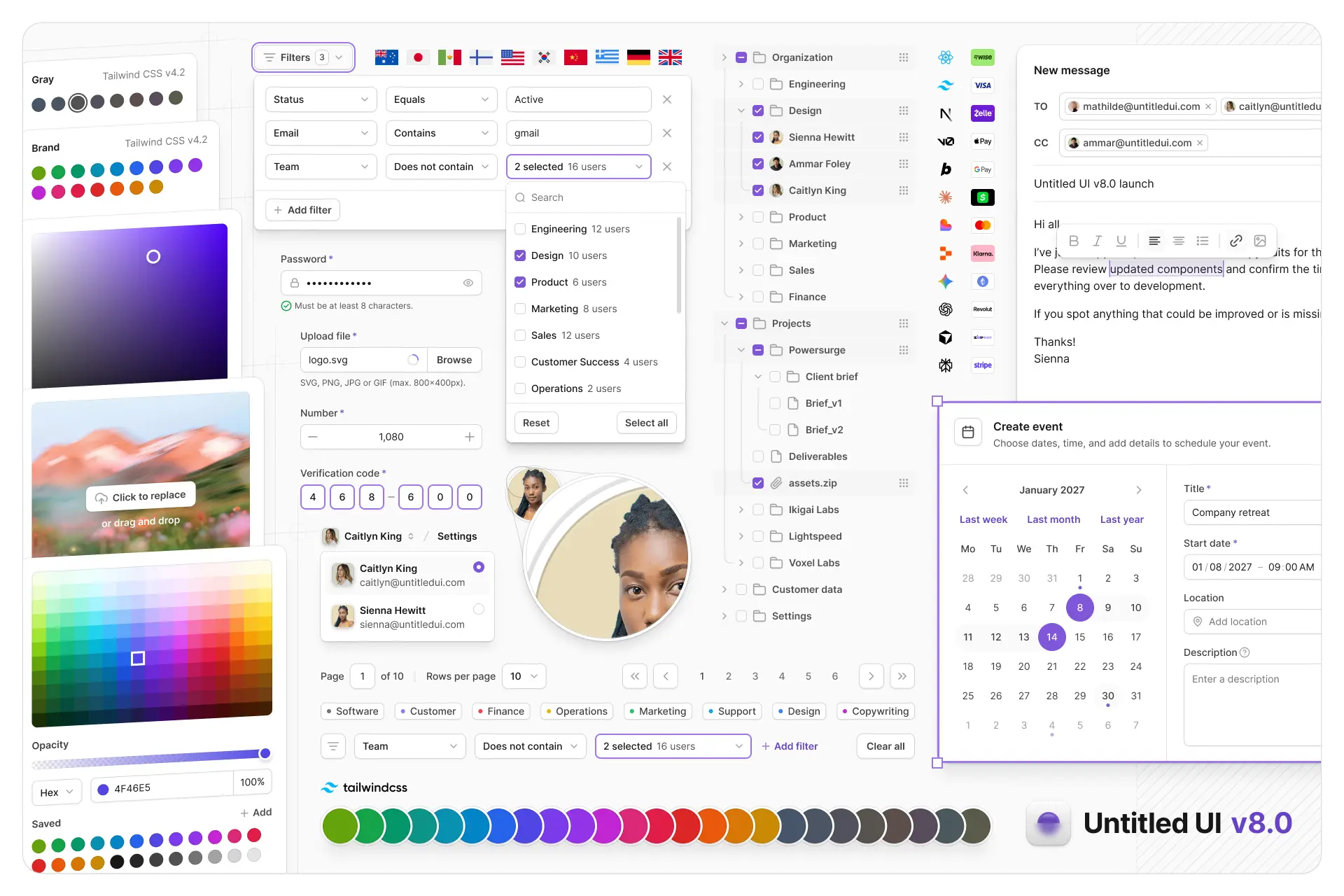
Untitled UI Figma is meticulously crafted with 100% Auto Layout 5.0, super-smart variants, Figma's newest variables features, and with accessibility in mind.
It's a great example of Figma design system best practices and is the most popular and highest-rated Figma UI kit on the internet with 3,650+ 5-star reviews!
We've also released Untitled UI Figma PRO LITE, which is a premium and lightweight version of the full Untitled UI Figma PRO STYLES kit and have included it for free. It's 55% lighter, faster, and is designed to include everything you need and nothing you don't. It's perfect for moving fast and for smaller projects!
Untitled UI was designed to be the "ultimate" UI kit and the perfect starting point for any kind of project—from beautiful marketing landing pages, all the way to complex dashboards and web apps—Untitled UI has thought of absolutely everything so you don't have to.
We're constantly making updates and improvements to the UI kit and recently announced that we've completely refactored Untitled UI to take advantage of Figma's latest features released at Config 2023, Framework 2024, Config 2024, Config 2025, and Config 2026. This includes all the latest Figma features such as color variables (dark mode), spacing, radius, typography, and effects variables, Auto Layout 5.0, min/max widths, Auto Layout wrapping, and much more.
You can check out a full preview of the design kit, or check out the 100% free UI kit here (which is more advanced than most UI kits in its own right!). If you're short on time, here's a 60-second overview: