Upgrade to v8.0
How to upgrade your Untitled UI React project from v7.0 to v8.0. Includes CLI automation, AI agent instructions, and manual migration steps.
What's new in v8.0
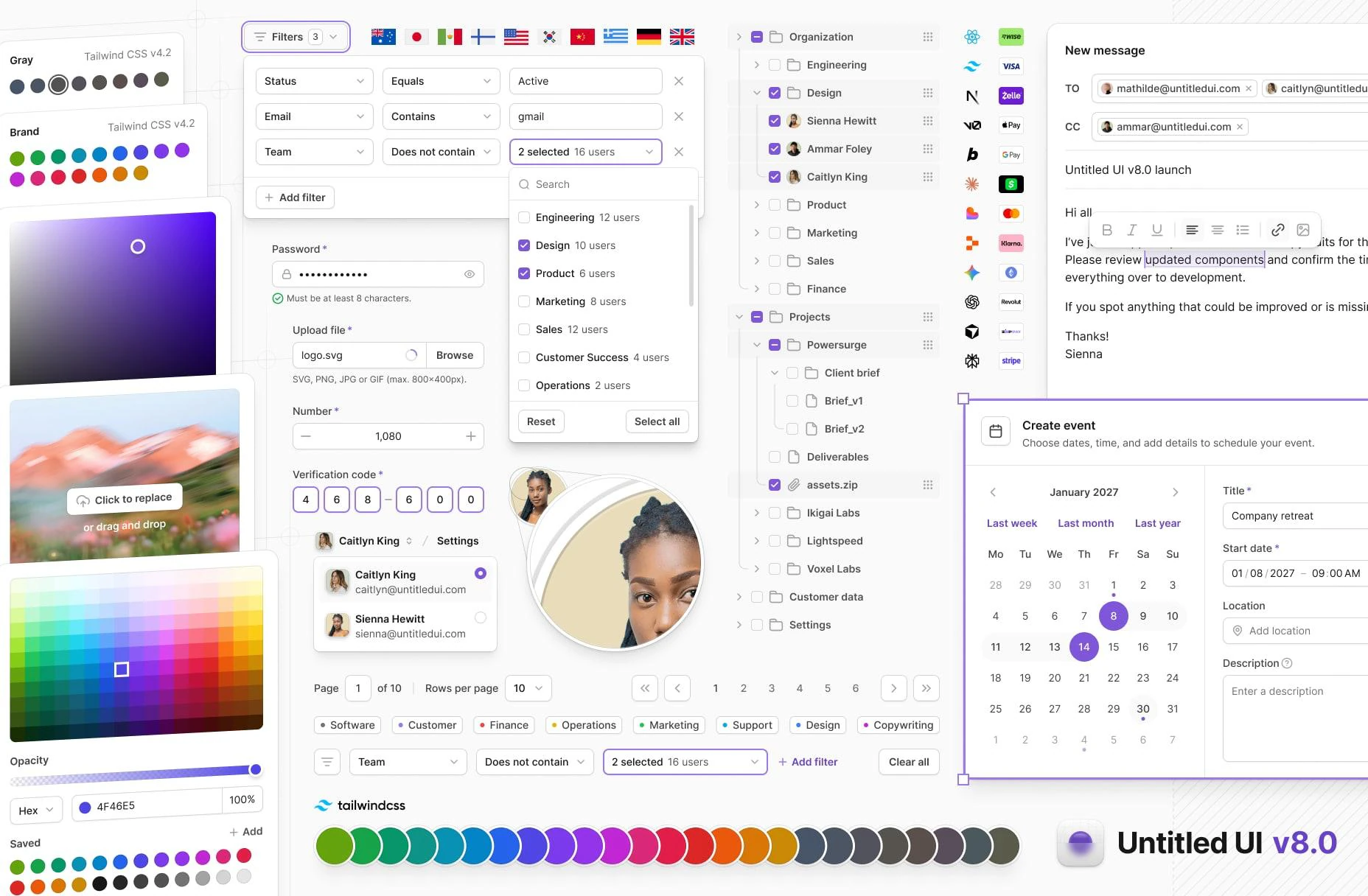
v8 is a significant release that makes the design system lighter, more accessible, and future-ready. Here's what you get:
Tailwind CSS v4.3 color palette
We switched the entire color palette over to Tailwind CSS colors. This improves alignment between design and development, making it easier for teams to integrate Untitled UI components directly into Tailwind-based projects while keeping the resulting CSS simpler and more predictable.
As part of this change, we chose neutral as the default gray palette. Neutral gray is completely desaturated and flat, making it highly versatile and giving interfaces a minimal, modern, and clean aesthetic — the perfect starting point for any project.
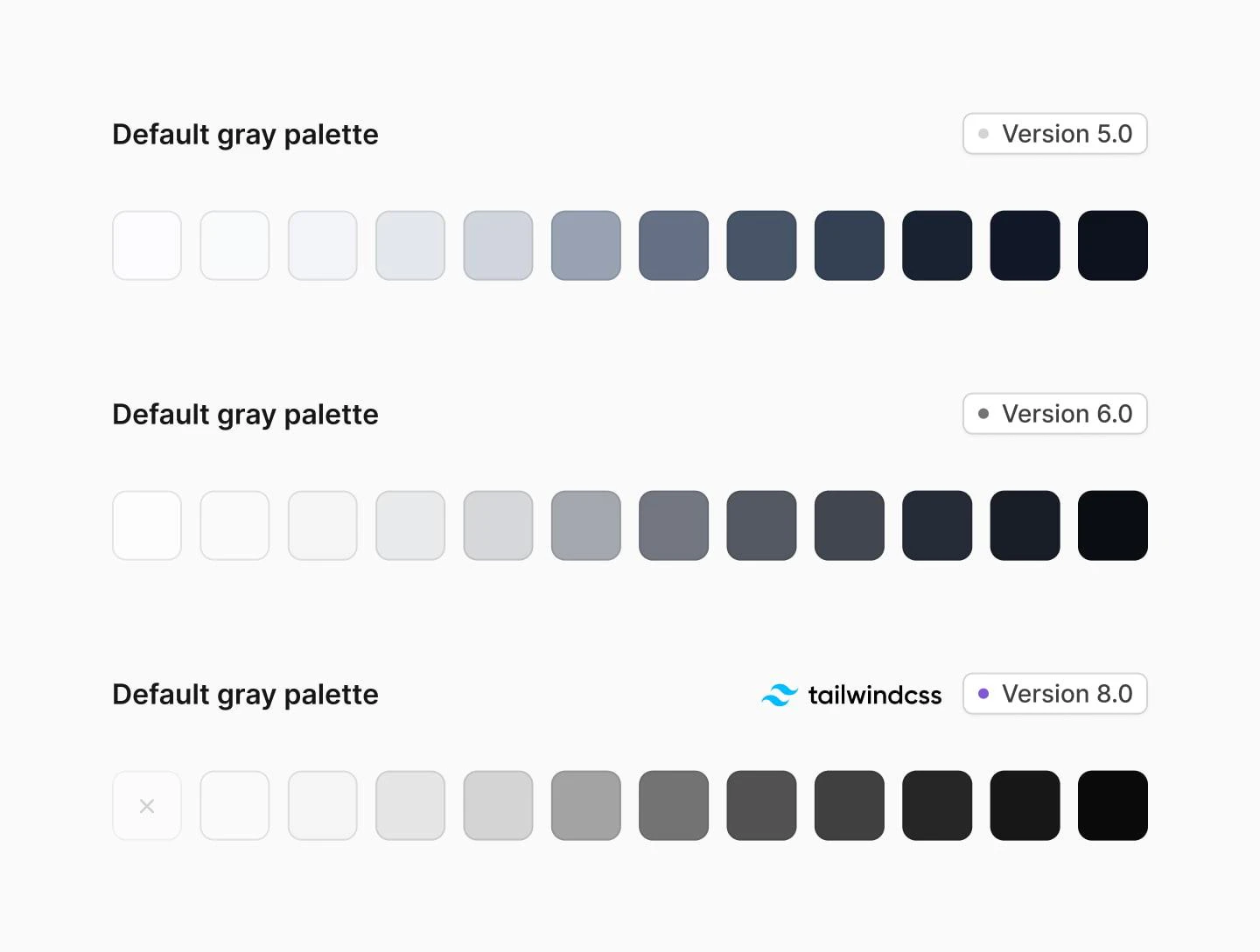
This also made the theme significantly lighter. We removed 436 redundant color variables by leveraging Tailwind CSS 4's native palettes instead of redeclaring them. The theme file went from 65KB to 45KB and from 1,093 to 657 CSS variables — a 40% reduction in design tokens.
Semantic color names like utility-error-* and utility-gray-* are now raw color names (utility-red-*, utility-neutral-*) that map directly to Tailwind's built-in palette. Less custom CSS, faster builds. Of course, if you want to revert your color palette back to v7.0, you can do so easily by editing your color variables in theme.css.
MCP server
Untitled UI now supports MCP (Model Context Protocol), allowing AI tools like Claude Code and Cursor to browse, search, and install components using natural language.
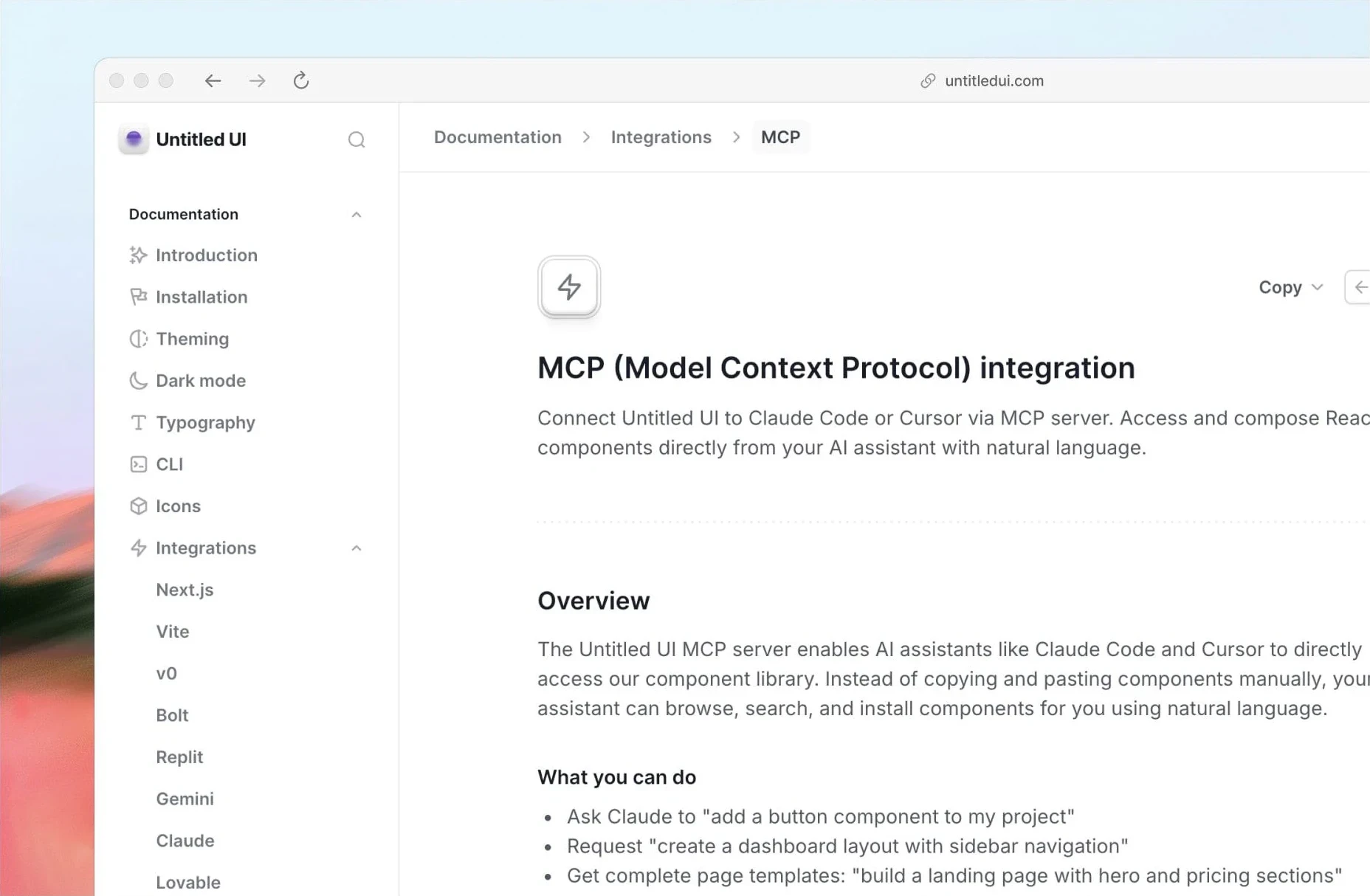
Copy as markdown
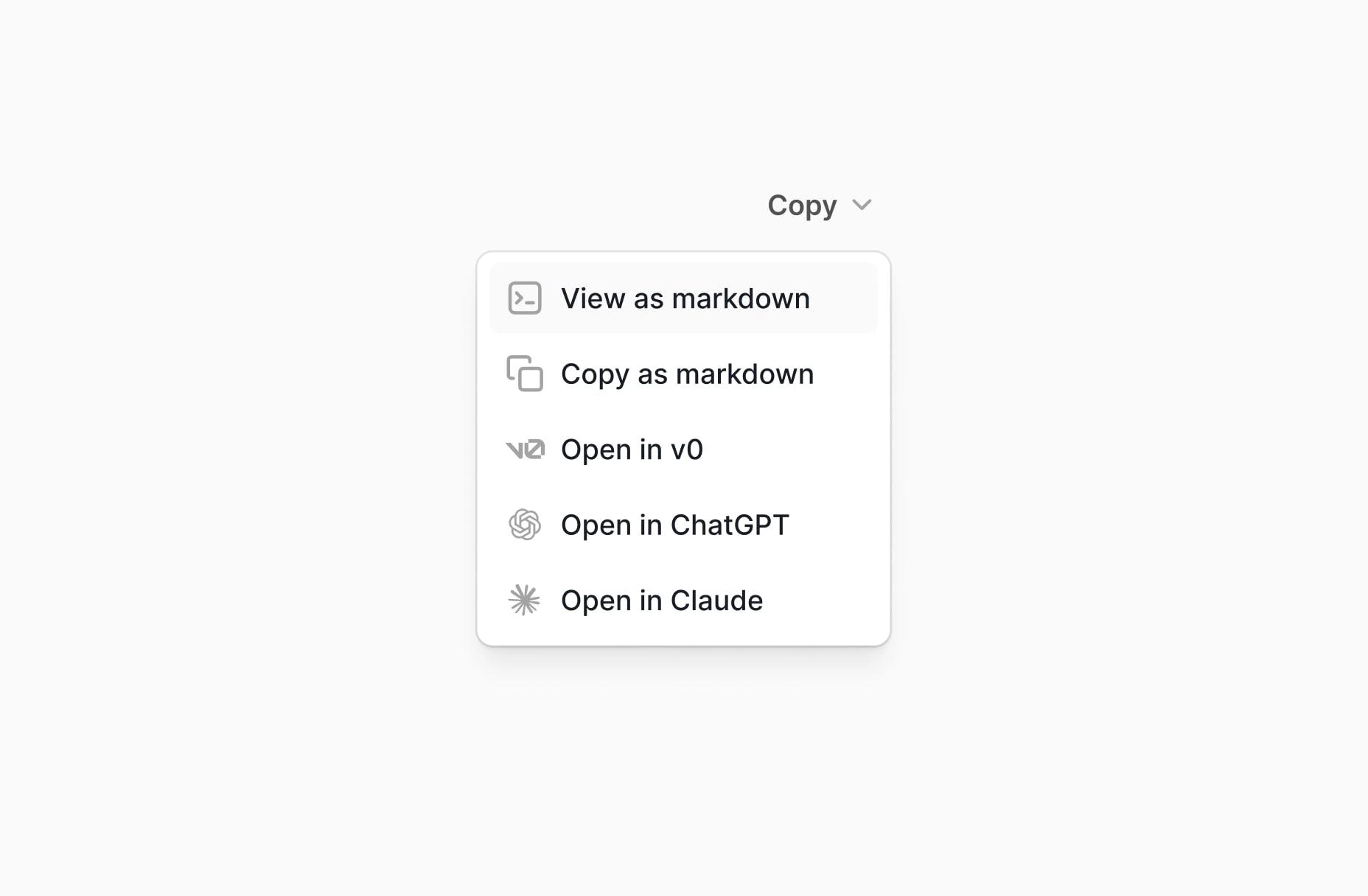
Use the new "Copy as" dropdown on the docs site to copy React components and layouts as markdown. Open them directly in v0, ChatGPT, or Claude to generate or modify interfaces with AI.
RTL support
v8 introduces RTL (right-to-left) tooling for building multilingual applications. This includes:
- An
rtl:variant for Tailwind classes - A
migrateCLI command that converts physical classes to logical properties - Storybook RTL toggle with React Aria's
I18nProviderfor testing - All base components built on logical properties (
ms-,me-,ps-,pe-,start-,end-)
Note: RTL support doesn't require v8.0. The migrate CLI command works with v7.0 projects as well.
Updated starter kits
Both official starter kits have been updated:
- Next.js starter kit — upgraded to Next.js 16 with Turbopack as the default bundler
- Vite starter kit — upgraded to Vite 8.0 with the latest React plugin
5 new application components
- Color Picker — Full-featured color selection with solid, hex, RGB, and swatch modes
- Gradient Picker — Gradient editor with draggable stops, angle control, and presets
- Image Picker — Image selection with upload, URL input, and gallery
- Tree View — Collapsible tree structure with drag-and-drop reordering
- Filter Bar — Advanced filtering interface with dropdown menus and tag-based active filters
New modals and slideout menus
New modal variants including create event, integration, new message (empty and filled states), and share project modals — all with tighter spacing and horizontally stacked buttons. New slideout menus including create event, advanced filters, integration, and share project menus.
16 new dropdown variants
Account dropdowns (breadcrumb, button, card in 3 sizes), avatar dropdowns, integration dropdowns, search dropdowns (simple + advanced), icon dropdowns (simple + advanced), button dropdowns (simple + advanced + link), and new context menus (simple + advanced) with sub-menu support. See Dropdown components.
New input and select variants
- Date and time input — Date-formatted input with available times variant
- Number counter input — Numeric input with increment/decrement controls
- Tag input — Input with tag chips for multi-value entry
- Tag select — The v7.0 MultiSelect (tag-chip style) has been renamed to TagSelect
- Multi-select — New multi-select component with autocomplete field
- OTP input — Verification code input with new
"sm"size
New empty state variants
Four new empty state variants with avatar radius, avatar row, avatar grid, and file type icon patterns.
New pagination variants
Pagination now supports specific page navigation and adjusting rows per page.
76 new icon components
- 58 payment icons — Google Pay, Apple Pay, Visa, Mastercard, Bitcoin, Stripe, Klarna, and 50+ more
- 18 integration icons — Claude, ChatGPT, Cursor, Figma, GitHub, Gemini, Replit, V0, and more
- New country flag icons — 261 countries in 3 styles
Modernized component APIs
- Select and Input now support 3 sizes:
"sm","md","lg"(default changed to"md") - Button gains an
"xs"size (32px height) for compact interfaces - Social buttons gain a new
"md"size (40px height) - Tabs accept an
iconprop for icon-labeled tabs - Avatar gains
border,rounded, andcountprops with subtle skeuomorphic effects - Dropdown items support
avatarUrlandselectionIndicator("checkmark"|"checkbox"|"radio"|"toggle"|"none") - Toggle improved with better contrast and subtle ring
- Command menu simplified component structure
- Sidebar and header navigation simplified with tighter spacing
Consolidated modal styles
Common dialog styles (rounded, bg-primary, shadow-xl, scroll behavior) have been moved from individual modal files into the base Modal and Dialog components. This removes a repeated wrapper <div> from every modal, flattens the component tree, and fixes a bug where clicking the visible overlay area around a modal would not dismiss it. If you have custom modals, see the migration step below.
Unified disabled states
All components now use a single opacity-50 pattern for disabled states instead of 12 individual disabled color tokens. Simpler to customize, consistent across the system.
Latest dependency stack
The library and starter kits track the current releases: Next.js 16.3, Tailwind CSS 4.3, Storybook 10.5, Vite 8, ESLint 10, React 19.2, React Aria Components 1.20, TypeScript 5.9.
The upgrade command pins the minimum versions v8.0 needs (Next.js 16.2.0, Tailwind CSS ^4.2.2, React Aria Components ^1.16.0, React ^19.2.4, Storybook ^10.3.0, Vite ^8.0.0), which can lag the latest releases. Bump them afterwards with your package manager if you want the newest versions.
Upgrade with an AI agent
If you use Claude Code, Cursor, Codex, or another AI coding assistant, you can paste these instructions to have the agent handle the entire upgrade for you:
## Upgrade Untitled UI React from v7.0 to v8.0

1. Read the full upgrade guide at https://www.untitledui.com/react/docs/upgrade
   to understand what changed.

2. Run the automated upgrade:
   npx untitledui@latest upgrade -y

3. Read `upgrade-report.json` in the project root. For each item
   in `manualReview`, navigate to the file and line number, read
   the `description`, and check that the `before` → `after` change
   the CLI applied is correct in context. For each item in
   `structuralPatterns`, apply the change described in its
   `instruction` field. Also read the `notes` array for manual
   API changes.

4. Ignore pre-existing type errors and linting issues. Focus only
   on errors caused by the migration. If `tsc --noEmit` reports
   errors, check whether they existed before the upgrade.

5. Run `tsc --noEmit` to verify there are no new type errors from
   the migration.

6. Run the project build command to verify everything compiles.

7. Delete `UPGRADE-INSTRUCTIONS.md` from the project root when done.
The CLI generates UPGRADE-INSTRUCTIONS.md automatically after the upgrade. AI agents that read project files (like Claude Code) will pick it up and use it to guide the review process.
Upgrade with the CLI
Our CLI handles class renames, Badge color prop renames, import fixes, theme replacement, and dependency updates automatically. Other prop changes (such as Select placeholderIcon → icon) are listed in the report for you to apply by hand.
Commit your current state
Make sure your git working tree is clean so you can revert if needed:
git add -A && git commit -m "Pre-upgrade snapshot"
Preview changes
Run the upgrade command in dry-run mode to see what will change:
npx untitledui@latest upgrade --dry-run
This scans your project and shows a summary of all changes without modifying any files.
Apply the upgrade
Once you're satisfied with the preview, run the upgrade:
npx untitledui@latest upgrade
The CLI will:
- Replace
theme.css(preserving your brand colors) - Update
tsconfig.jsonandpackage.json - Install updated dependencies
- Apply class renames, prop changes, and import path fixes
- Generate
upgrade-report.jsonwith any items that need manual review
Review flagged items
Check upgrade-report.json in your project root. It lists any changes that need manual review. Each item includes the file, line number, and instructions.
Verify your build
Run your build to confirm everything works:
npm run build
If something went wrong, revert with git checkout . and try again.
Monorepo? Run the upgrade from the directory where your components.json lives (e.g., packages/ui/). For app-level files that use Untitled UI classes, run it again with --path:
cd packages/ui && npx untitledui@latest upgrade
npx untitledui@latest upgrade --path ../../apps/web
Manual upgrade
If you prefer to upgrade manually, follow these steps in order.
Step 1: Update theme.css
Replace your styles/theme.css with the v8 version. The key changes:
- All color palettes (
--color-error-*,--color-warning-*,--color-success-*,--color-gray-*) removed from the@themeblock. Only--color-brand-*remains. Tailwind CSS 4 provides the other colors natively. - Utility color variable renames:
utility-graytoutility-neutral,utility-errortoutility-red,utility-warningtoutility-yellow,utility-successtoutility-green,utility-gray-bluetoutility-slate,utility-blue-lighttoutility-sky. - Shadow typo fixed:
skeumorphictoskeuomorphic. - All disabled-specific color variables removed (replaced by
opacity-50pattern).
Re-apply your custom brand color values after replacing the file.
Step 2: Find and replace classes
Run these replacements across your source files:
shadow-skeumorphic     →  shadow-skeuomorphic
utility-gray-          →  utility-neutral-
utility-error-         →  utility-red-
utility-warning-       →  utility-yellow-
utility-success-       →  utility-green-
utility-gray-blue-     →  utility-slate-
utility-blue-light-    →  utility-sky-
outline-none           →  outline-hidden
bg-disabled_subtle     →  opacity-50
bg-disabled            →  opacity-50
bg-active              →  bg-primary_hover
text-button-primary-icon  →  text-white/60
bg-avatar-bg           →  bg-tertiary
ring-bg-brand-solid    →  ring-brand-solid
Remove these classes where they appear (they're now covered by opacity-50):
text-disabled
ring-disabled
ring-disabled_subtle
border-disabled
border-disabled_subtle
text-fg-disabled
text-fg-disabled_subtle
bg-toggle-button-fg_disabled
Remove text-placeholder_subtle as well; it has no v8.0 equivalent (use text-placeholder).
Step 3: Update component props
// Select: rename placeholderIcon to icon
<Select icon={User01} ... />       // was: placeholderIcon={User01}

// Badge: rename colors
<Badge color="slate" ... />         // was: color="gray-blue"
<Badge color="sky" ... />           // was: color="blue-light"
Note: Select and Input default size changed from "sm" to "md". If you relied on the default, add size="sm" explicitly.
Two more manual changes flagged in the upgrade report's notes:
- Avatar size
"xxs"was removed. Use"xs"instead. - Dropdown no longer defaults to
selectionMode="single". Set it explicitly where you relied on the default.
Step 4: Update import paths
// Pin input moved
import { PinInput } from "@/components/base/input/pin-input";
// was: "@/components/base/pin-input/pin-input"

// Nav button renamed
import { NavButton } from "@/components/application/app-navigation/base-components/nav-button";
// was: "nav-item-button"

// MultiSelect renamed to TagSelect (the new MultiSelect is a different component)
import { TagSelect } from "@/components/base/select/tag-select";
// was: import { MultiSelect } from "@/components/base/select/multi-select"
Step 5: Update dependencies and config
Update your package.json with the new dependency versions listed under Latest dependency stack. Update tsconfig.json: change "jsx": "preserve" to "jsx": "react-jsx".
Step 6: Update modal structure
The base Modal and Dialog components now handle rounded, bg-primary, shadow-xl, and scroll behavior. If you have custom modals, remove the wrapper <div> inside <Dialog> and move the max-w-* constraint to the <Modal> component:
// v7
<Modal>
    <Dialog>
        <div className="relative w-full overflow-hidden rounded-2xl bg-primary shadow-xl sm:max-w-100">
            {/* modal content */}
        </div>
    </Dialog>
</Modal>

// v8
<Modal className="sm:max-w-100">
    <Dialog>
        {/* modal content directly here */}
    </Dialog>
</Modal>
This also fixes a bug where clicking the overlay area around the modal would not dismiss it.
Staying on v7.0
If you're not ready to upgrade, you can keep pulling v7.0 components. Set the version in your components.json:
{
    "version": "7"
}
With this set, the CLI and MCP server will serve v7.0-compatible components. You can also override per-command with --lib-version 7:
npx untitledui@latest add button --lib-version 7
When you're ready to upgrade, run npx untitledui@latest upgrade and the CLI will update your components.json version field to "8" automatically.
FAQs
Please refer to our frequently asked questions page for more.
The class renames are 1:1 replacements — the new classes render identically. The only visual change is disabled states, which now use opacity-50 instead of specific disabled colors. The CLI's --dry-run flag lets you preview all changes before applying.
If you committed before upgrading, run git checkout . to revert all changes. The CLI warns you to commit first for this reason.
Run the upgrade from the directory where your components.json lives (e.g., packages/ui/). For app-level files, run it again with --path ../../apps/web. See our monorepo guide for more details.
The CLI applies text-based transforms (class renames, prop changes) to all files regardless of customization. It won't auto-modify your component structure — any structural changes are flagged for manual review.
Yes. The theme.css changes affect all components, so partial upgrades would leave some components with broken styles. The CLI handles everything in one pass.
The CLI ships with built-in v7.0-to-v8.0 migration rules as a fallback, so the class, prop, import, theme, and config transforms run fully offline. Two optional steps need network access: refreshing unmodified stock components from the server and installing updated dependencies. If they can't reach the server, the CLI warns and continues; run your package manager's install afterwards.
Run npx untitledui@latest migrate to convert physical direction classes to logical properties. See our RTL guide for full instructions.
Yes. Add "version": "7" to your components.json and the CLI and MCP server will continue serving v7 components. You can also use --lib-version 7 on any CLI command. See the CLI docs for details.